Overview
Getting started: your guided path
Six steps from your first sign-in to an instruction at the workstation that a colleague can follow without a word of explanation.
You don’t learn GIRI from a manual. You learn it by creating a real instruction and then showing that someone with no prior knowledge can solve the task with it. That is exactly the path here.
The 6 steps
- Sign in (5 min). Open go.ar-giri.de and sign in with your email address or with Google. Without an invitation you get your own workspace with a 7-day trial. With an invitation you join your colleagues. See Sign in, The trial and Accept an invitation. On your phone it pays to install GIRI as an app.
- Create your first instruction (10 min). Record a simple routine on your phone, for example at the coffee machine. See Your first instruction in 10 minutes. If you signed up yourself, GIRI also creates the example instruction “How to create your first instruction” as a draft when you first open your workspace. It comes from an older version, so some buttons have different names today.
- Plan good instructions (10 min). Before you record a real process, answer three questions: what is the goal, and who is it for? What are the three key points? Which steps belong to it? See Tips for great instructions and Lesson 1 · Choosing the process.
- Invite colleagues (5 min, workspace admins). Bring in someone who approves or works with you: the menu, then Users & teams and Invite. See Invite people and assign roles.
- Approve and put up the QR code (10 min). Submit the instruction and approve it. You then get a link and a QR code. Print the QR sheet and put it on the machine. See How approval works and Share the link and QR code.
- The proof (30 min). Someone who does not know the routine scans the QR code and solves the task. Their questions are your to-do list. See Lesson 5 · Running the proof.
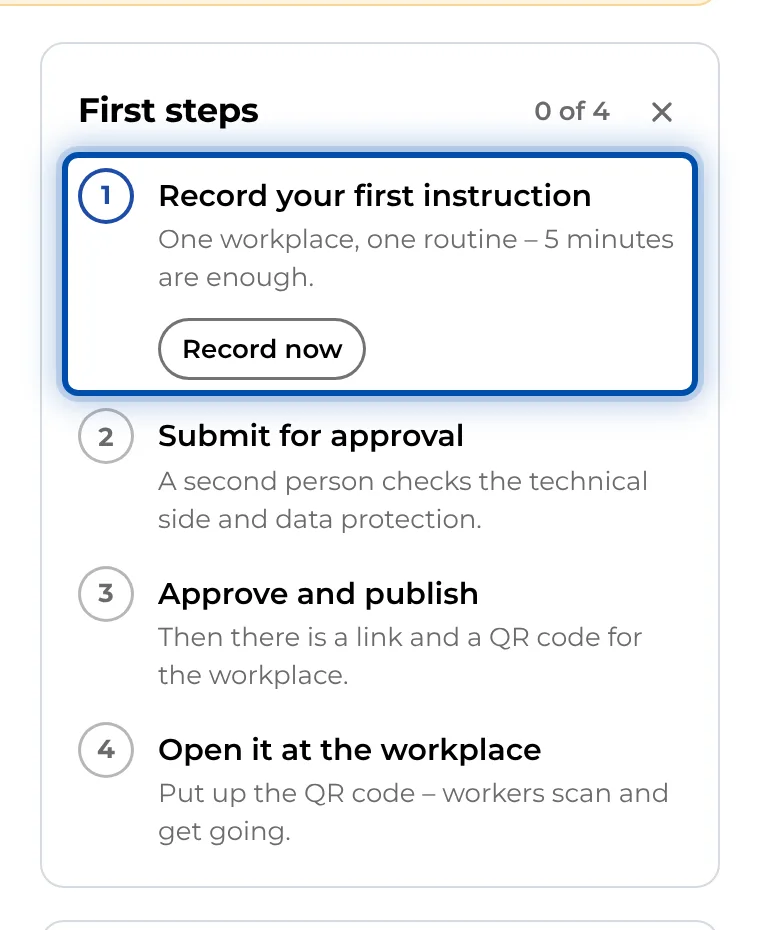
On a PC the start page keeps track for you. On the right is the First steps card. It ticks off recording, submitting, publishing and the first use at the workstation as soon as you have done each one.
Tips before you start
- Have a short, painful topic ready. No heroics.
- Line up 1–2 colleagues for the test.
- Use a phone with a good camera and enough battery.
Going deeper in the Bootcamp
Steps 3 to 6 are explained in depth in Bootcamp Phase 1 · Prove It: with pilot context, typical mistakes and a drill question for each step. This is the quick-start version; the depth lives there. See The GIRI Bootcamp and Phase 1 · Prove It.
Prefer some company?
Book a call with the GIRI team at www.ar-giri.com/start. In the app you find the link on the PC start page under Help & training and in the menu under Help & contact. The training on offer is listed in Book a training.