Use case
Onboarding new employees
Classic onboarding costs weeks. With GIRI, onboarding becomes plannable, multilingual and independent of individual trainers.
The first 4 weeks are expensive: new starters get paid but are barely productive. With high turnover, that becomes a permanent loss.
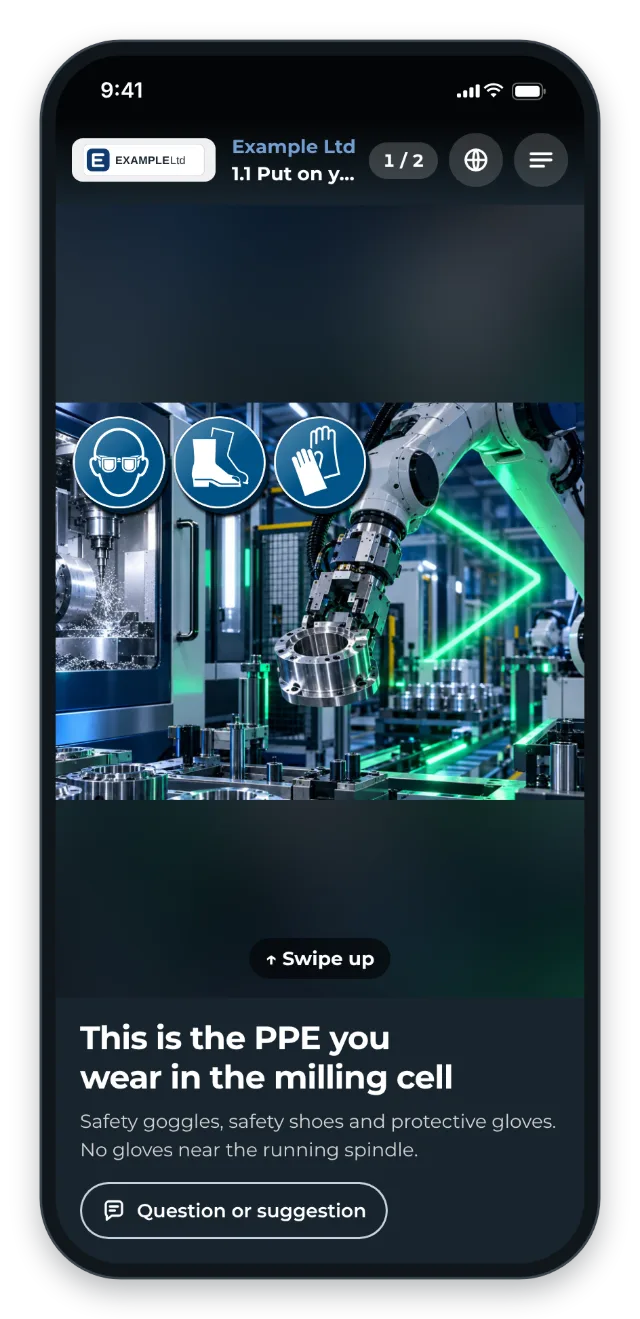
Instead of 4 weeks of shadowing a supervisor, the instruction itself guides new starters through their first tasks. You plan the onboarding in three stages:
- Day 1: plant tour via QR code, PPE, safety briefing
- Week 1: a first simple task, the shift routine, 6S
- Weeks 2–4: further tasks, setup, quality checks, first independent work
Instructions that already exist from other use cases are reused instead of rewritten.
The trigger: how do you recognise it?
- New employees need 4 weeks or more to become productive.
- Onboarding depends on 1–2 trainers whose time is scarce.
- Seasonal workers or high turnover repeat the expensive cycle again and again.
- Employees with a different first language take especially long or need an interpreter.
- There is an onboarding plan on paper, but every trainer does it differently.
The GIRI approach
- Identify the 10–15 most important tasks of the first 4 weeks.
- Record one instruction per task.
- Put the instructions in order from day 1 to week 4. GIRI has no learning path object of its own: you organise with a folder and numbered titles.
- Track progress. If GIRI has activated training for your workspace, the matrix shows for each person what is done and what is open. Without training, checklists with name and signature record every run.
- Provide it in many languages: new starters choose their language in the instruction, and GIRI machine-translates it.
The value
- Faster onboarding of new employees
- Trainers are relieved.
- Scalable and independent of individual trainers, even for several new starters at once
- Consistent quality: every new starter gets the same onboarding.
Typical users
- Logistics (high turnover, seasonal workers)
- Food production (seasonal business)
- Manufacturing with many employees from abroad
- Fast-growing sites
What you want to avoid
- Treating onboarding as a one-off event. Plan it as a sequence with visible progress instead.
- Putting safety topics at the end. That is day 1, not week 4.
- Sticking with learning by watching. It does not scale.
- Rewriting everything. Reuse the instructions that already exist.
What to measure
Record the values before you start and compare them after a few weeks.
- Time to productivity: days until the first shift on their own.
- Trainer effort: hours that trainers or supervisors spend per new starter.
- Progress per person: with training, the matrix shows what is done. Without training, every run appears with the name in the job-done log.
How to do it in GIRI
-
Put the new onboarding instructions in a folder of their own and number the titles by stage, for example “1.1 Put on PPE”. With Title A–Z they appear in the right order. An instruction always sits in exactly one folder, so leave existing instructions from other folders where they are (Create folders).
-
Print the folder’s QR poster and put it up. The tiles are not sorted by title, so the numbers in the titles show the order (QR poster for a folder).
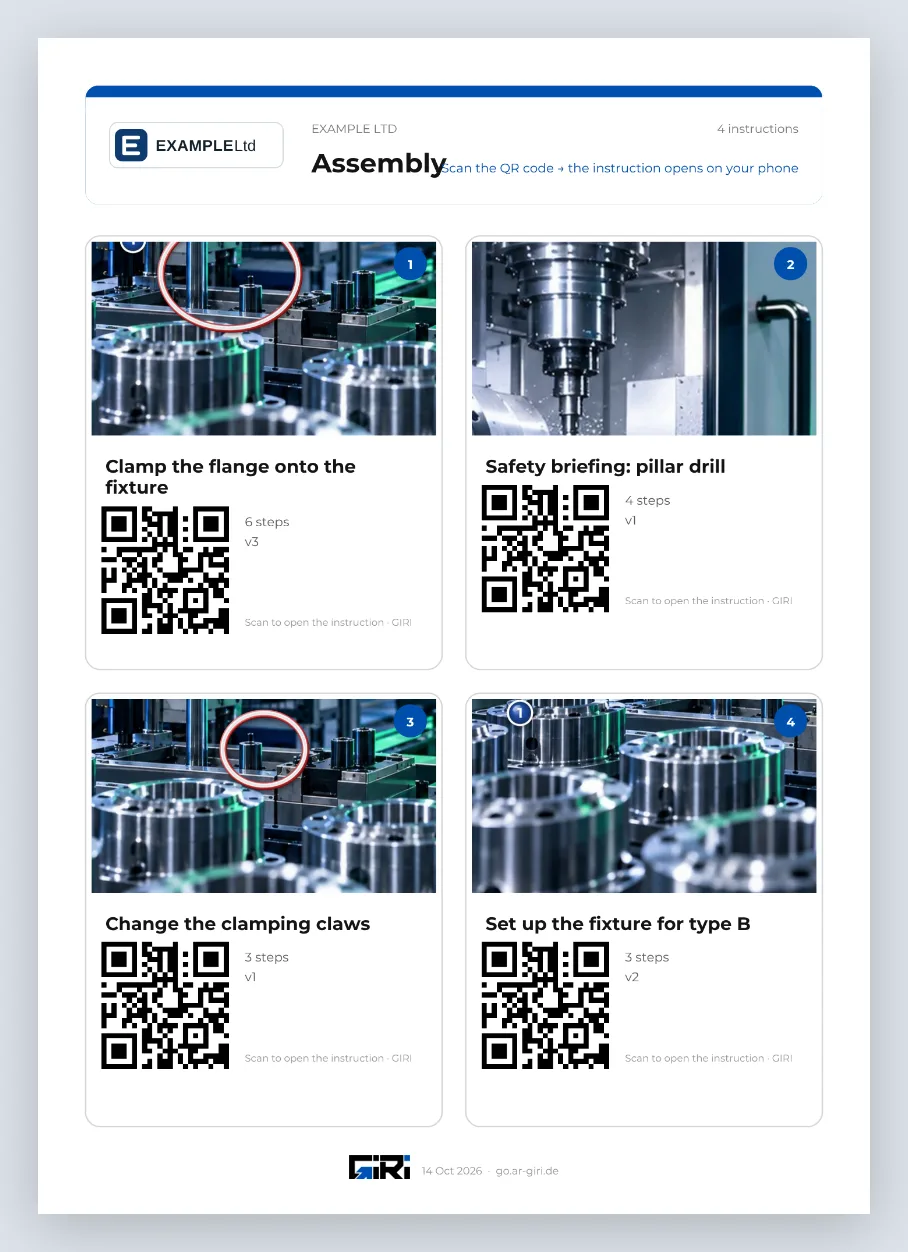
A folder’s QR poster with a tile per instruction -
If GIRI has activated training, a workspace admin adds each instruction as a training requirement for the department. This also works for instructions from other folders (Define training requirements).
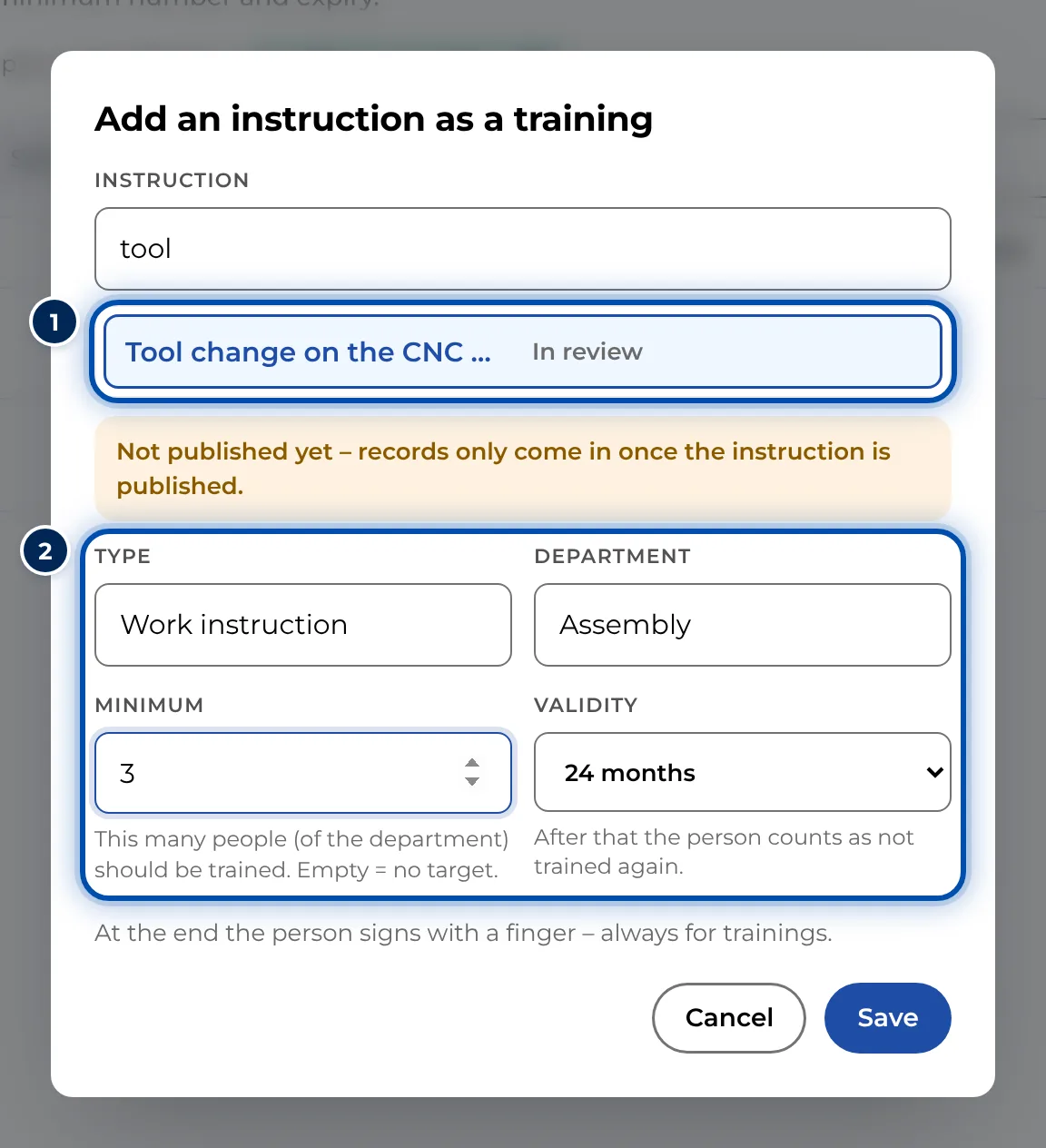
Adding an instruction as a training, with type, department, minimum and validity -
Workspace admins and team leads send new employees their open trainings, with a due date if needed, for example by WhatsApp or e-mail. The matrix shows their progress (Send a training, Read the training matrix).
-
Without training, use checklists with a signature: every run appears with the person’s name in the instruction’s job-done log (Set up a checklist and signature).