FAQ
Trial ended: why can’t I change anything?
What still works after the trial has ended, what is locked and how to reach GIRI to carry on.
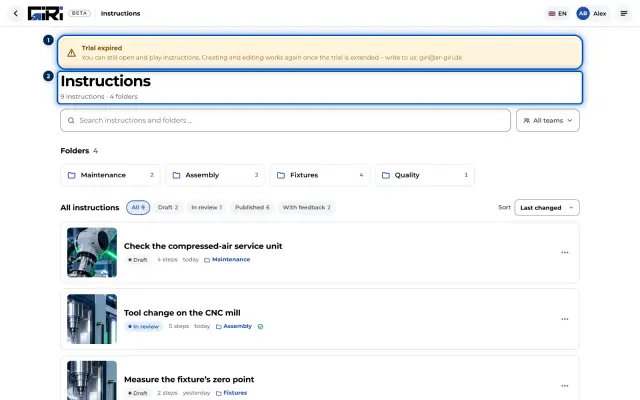
The short answerThe trial ends after 7 days, and your workspace becomes read-only. You can still open, play and share instructions, but not create, change or approve them. To carry on, write to giri@ar-giri.de or book a call.
How you can tell: the start page and the list of instructions show Trial expired.

What still works
- Opening and playing instructions, and viewing them in the Preview.
- Sharing the link and QR code, and downloading the PDF, if your role allows sharing.
- Workers keep using links and QR codes, including checklists and feedback.
- Statistics in the menu stays visible. Only team admins and workspace admins still see an instruction’s Analytics tab.
What is locked
- Creating, recording and editing instructions.
- Submitting for approval and approving.
- Creating and changing folders.
GIRI hides the buttons for these. The server refuses changes to instructions as well.
How to carry on
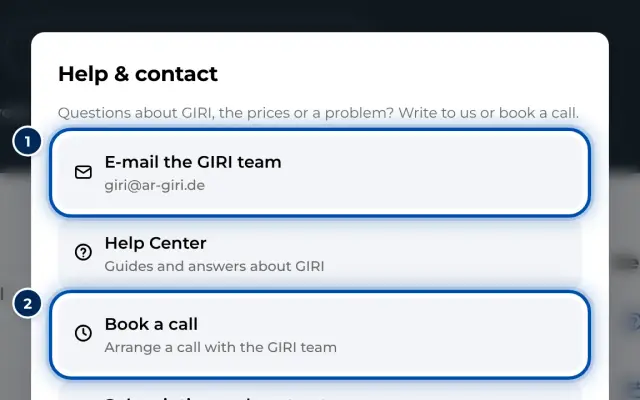
- Under Help & contact in the menu, you can email GIRI or book a call.
- GIRI extends the trial or activates your package. Then everything works again, and your instructions are still there.
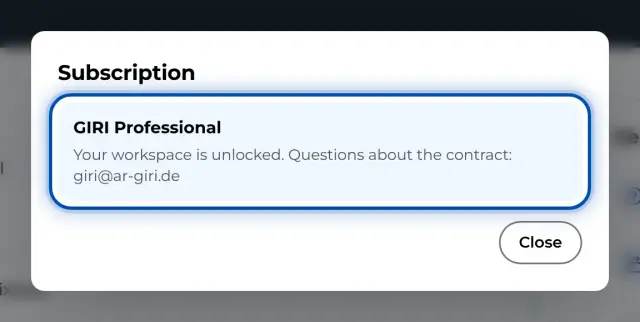
- Workspace admins see the status in the menu under Subscription and receipts. That is also where Request an offer and Book a call are.
A workspace that GIRI has paused, or one whose subscription has ended, is read-only in the same way.