Guide
Stay signed in: session length
Set how many days people stay signed in to GIRI before they have to sign in again: 1 to 365 days, 14 by default.
What for?
How long may a device stay signed in? On shared devices or under strict IT rules you want a short time; on personal devices a long one, so nobody has to sign in all the time. The setting applies to everyone in the workspace.
Before you start
- You are a Workspace Admin.
Step by step
-
Open Menu → Users & teams and scroll right down to the Settings card.
-
Under Stay signed in, enter the number of days, from 1 to 365.
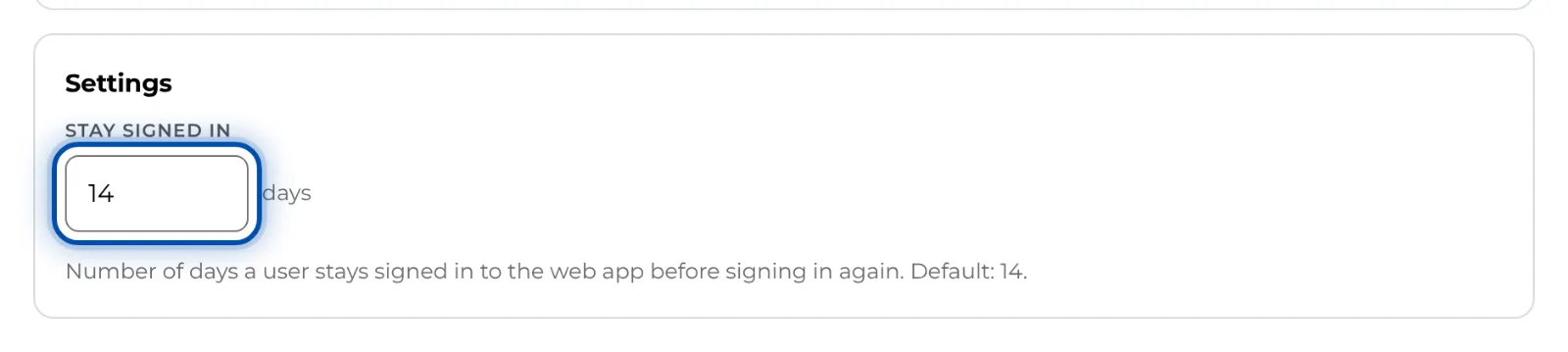
The Settings card with the Stay signed in field in days -
Leave the field with the Tab key or press Enter. GIRI saves and shows Saved.
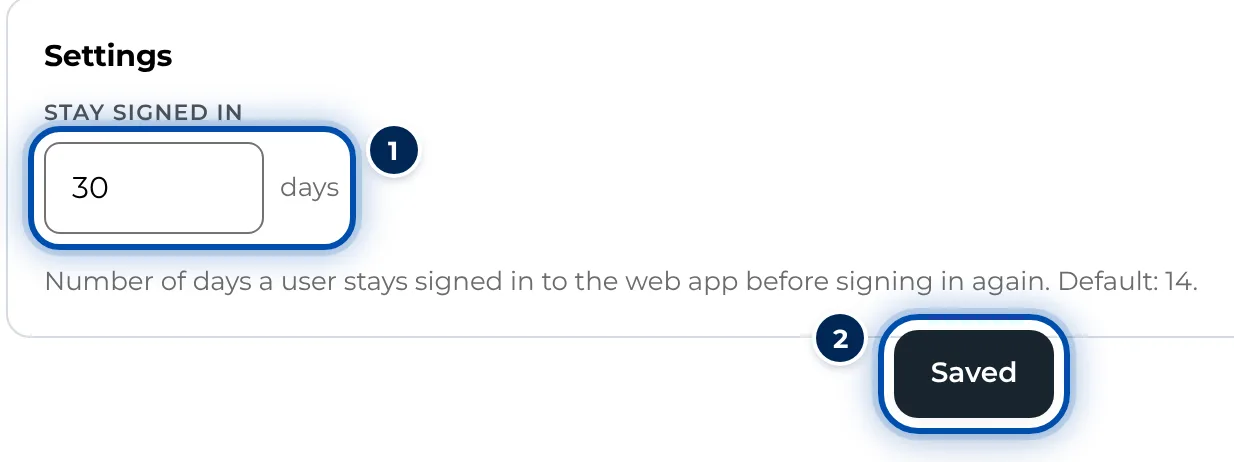
Stay signed in set to 30 days, below it the message Saved -
From now on, GIRI counts from the last sign-in on each device. Once the time is up, GIRI signs the person out at the next page change and shows Session expired – please sign in again.. They sign in again with an e-mail code, Google or a QR code, see Sign in with an email code or Google.
Tips
- The default is 14 days. An empty field or 0 resets it to 14; anything above 365 becomes 365.
- The time applies per device. Someone signed in on a PC and a phone is signed out on each device once the time there has run out.
- If you shorten the time, devices with an older sign-in are signed out at the next page change.
- Workers who open instructions via link or QR code are not affected. They do not sign in.
- If a device has been lost, the person chooses Sign out on all devices in their Profile on another device. See Sign out, also on all devices.
Common problems
- People have to sign in all the time. Check whether the time is set very short. If the browser deletes site data when it closes, the sign-in is gone too. On an iPhone, iOS deletes the storage after 7 days without use if GIRI is not installed as an app, see Install GIRI as an app.
- The change does not take effect right away. GIRI checks the time at the next page change on each device.
- The field is missing. Only admins see the Users & teams page.