Overview
For IT: browsers, domains, camera and screen sharing
What your IT needs to allow for GIRI: current browsers, reachable domains, e-mail senders, camera, screen sharing and installing it as an app.
The short answerGIRI is a web app. It needs a current browser, access to go.ar-giri.de and to the data address at Supabase, two allowed e-mail senders, and camera and screen sharing for recording.
You do not install anything on your servers. The addresses below apply to GIRI Online. For GIRI Starter and GIRI Professional, the details are in the contract or available on request from giri@ar-giri.de.
Browsers
- Current versions of Chrome, Edge, Safari and Firefox. On phones, Safari on the iPhone and Chrome on Android are enough.
- Record screen only works on a PC. The small control window for it is available in Chrome and Edge.
- GIRI converts videos in the browser during import (WebCodecs). If the browser lacks this, GIRI only accepts videos up to 80 MB.
- Service workers and site storage must be allowed. That is where the sign-in and the offline copies of instructions are kept. If the browser deletes site data when it closes, everyone has to sign in again each time.
Addresses
All connections are encrypted and run over port 443.
| Address | What for |
|---|---|
| https://go.ar-giri.de | The app, links and QR codes |
| https://hcomtmogkuxxchrnticq.supabase.co, also via WebSocket (wss://) | Data, photos and videos, sign-in, real-time updates |
| accounts.google.com | Only for signing in with Google |
Workers at the workstation need access to the first two addresses. Without a connection, only instructions saved on the device will open, see Using instructions without a connection.
E-mail senders
- Sign-in codes come from giri-go@ar-giri.de.
- All other e-mails come from giri@ar-giri.de, sender name GIRI: invitations, notifications about new feedback and subscription e-mails.
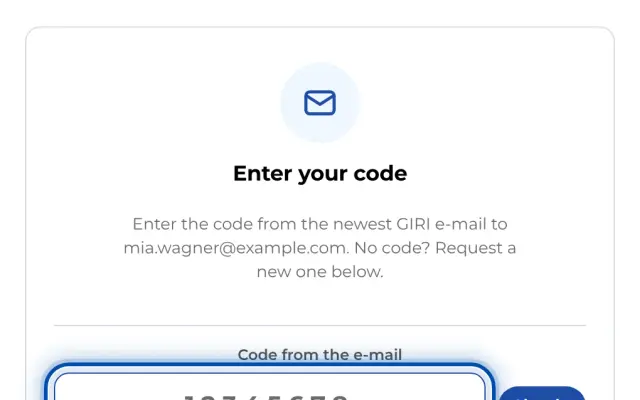
Allow both senders. The code e-mail contains a code to type in, not a one-time link that a link scanner could use up. If the code does not arrive, see The sign-in code does not arrive.
Camera
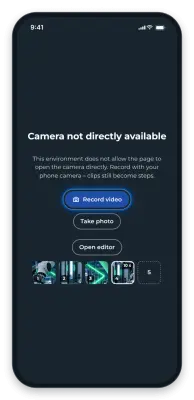
- GIRI needs the camera to record steps, to scan the QR code when signing in on a phone, and for Train a group.
- The browser asks once for permission for go.ar-giri.de. GIRI does not need a microphone; videos have no sound.
- In managed Chrome and Edge installations, this is controlled by the
VideoCaptureAllowedandVideoCaptureAllowedUrlspolicies.
Screen sharing
For Record screen on a PC, the browser has to allow screen sharing.
- In Chrome and Edge, this is controlled by the
ScreenCaptureAllowedpolicy. To allow GIRI only:ScreenCaptureAllowedByOrigins=https://go.ar-giri.de. - On Windows, the registry entry is
HKLM\SOFTWARE\Policies\Google\Chrome\ScreenCaptureAllowedByOrigins\1orHKLM\SOFTWARE\Policies\Microsoft\Edge\ScreenCaptureAllowedByOrigins\1. - You can check it under
chrome://policyoredge://policy. - On a Mac, the browser needs permission under System Settings → Privacy & Security → Screen & System Audio Recording.
- If GIRI is embedded in another page that does not allow screen sharing, recording does not work. Open GIRI in its own tab instead.
If the browser blocks screen sharing, GIRI shows a note with Copy text for IT. More in Camera or screen recording is blocked.
Installing as an app
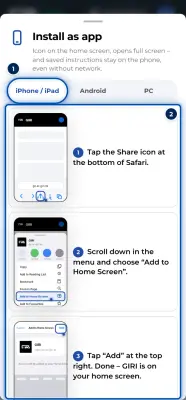
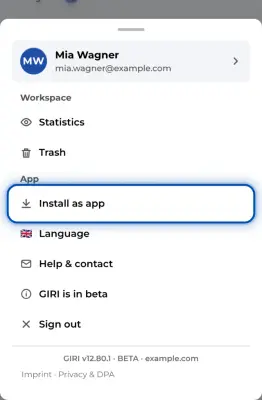
GIRI can be installed as an app straight from the browser; there is no need to distribute it through device stores. On a PC use the install icon in the address bar of Chrome or Edge, on an iPhone use the Share icon in Safari and Add to Home Screen, and on Android use the Chrome menu. On an iPhone this is especially worthwhile: without installation, iOS deletes the storage after 7 days without use. Updates arrive by themselves, and GIRI then shows New version … available – load now. More in Install GIRI as an app.