Support
Report a bug
How to report a bug in GIRI so that we can reproduce and fix it quickly: steps, actual and expected, version, device and a screenshot.
A well-reported bug is a half-fixed bug. With these details we can reproduce the problem straight away.
Check first
- Reload. Reload GIRI once. A new version may already be waiting. See How updates arrive.
- Content or app? If it is not the app that is wrong but the content of an instruction, use Question or suggestion in the instruction. That feedback goes to the team in your company that looks after the instruction, not to us.
How to report a bug
-
Describe the steps. What did you do right before the error? Step by step, for example: opened the instruction, tapped step 3, added an arrow.
-
Actual and expected. What happened, and what did you expect instead?
-
State your environment. The GIRI version is at the very bottom of the app menu, for example “GIRI v12.80.1 · BETA”, followed by the ID of your workspace. Add your device, operating system and browser, such as a Windows PC with Edge or an iPhone with Safari. Also say whether you use GIRI in the browser or as an installed app.
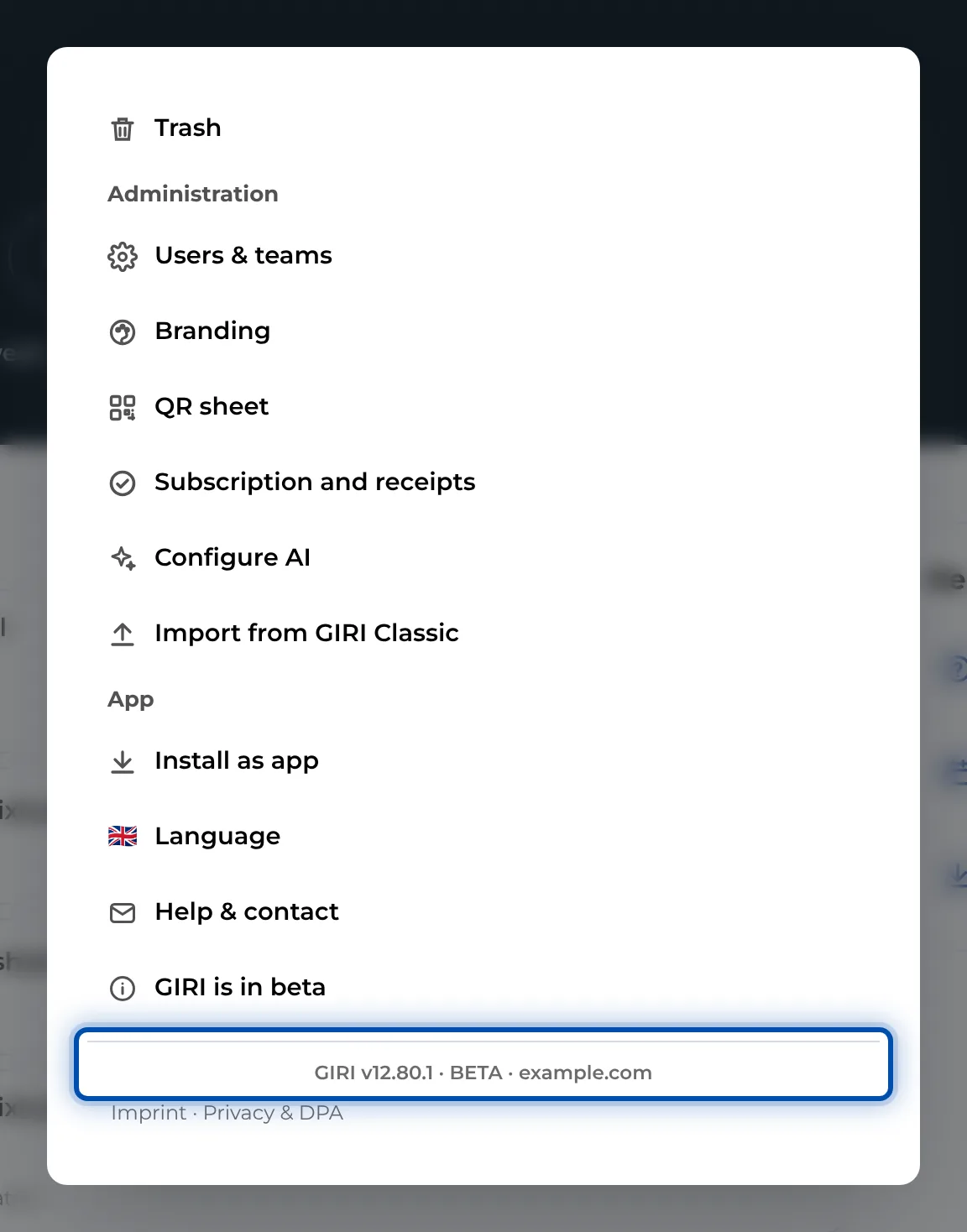
The version number is at the very bottom of the app menu -
Attach a screenshot or video. A short screen recording says more than three paragraphs. If GIRI shows an error message, copy it word for word.
-
Send it. The easiest way is the menu: Help & contact, then E-mail the GIRI team. The email already contains your workspace, name, email address and version. Or write directly to giri@ar-giri.de with the subject “Bug: short description”.