Overview
Two people editing one instruction
How GIRI merges changes made by two people, when it asks you to decide, and what to keep in mind when you work at the same time.
Several people can work on one instruction at the same time, on a PC as well as on a phone. GIRI merges changes made in different places by itself and only asks when two people have changed the same spot.
How GIRI saves
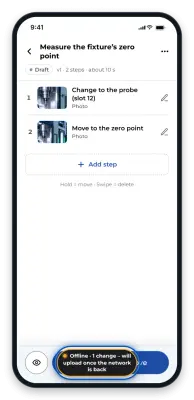
- There is no save button. Every change lands on your device straight away and goes from there to the server. Without a connection it waits on the device; see Recording and editing without a connection.
- GIRI does not lock an instruction while someone is working on it. Nor does it show who has it open right now.
What you notice of other people’s work
- If someone else saves while you have the instruction open, GIRI loads the new state and reports, for example, Tom Becker changed this instruction – reloaded.
- If you are typing or dragging a step at that moment, GIRI does not simply reload. A notice such as Tom Becker has changed this instruction meanwhile appears instead, with a Refresh button.
- When you bring a tab back from the background, GIRI checks whether anything has changed in the meantime.
- If someone moves the instruction to the trash while you have it open, GIRI tells you and offers To the overview.
What GIRI merges by itself
When saving, GIRI compares your version and the one on the server with the common starting point. Whatever only one of you changed is taken over without a question:
- changes to different steps, or to different fields of one step, for example the title on your side and the description on Tom’s,
- new and deleted steps,
- settings such as the checklist or the folder, if only one of you changed them,
- the order: the order of whoever moved steps applies. If both moved steps, the order of the person who saves last applies. New steps from the other person are placed after their predecessor.
GIRI then reports Merged with the changes by Tom Becker.
When GIRI asks
-
The same spot: if you both changed the same field of the same step, Same spot changed at the same time appears. You choose Version by Tom Becker or My version. Everything else has already been merged by then. The markings of a step count as one field. A step that one person deleted and the other changed also counts as the same spot.
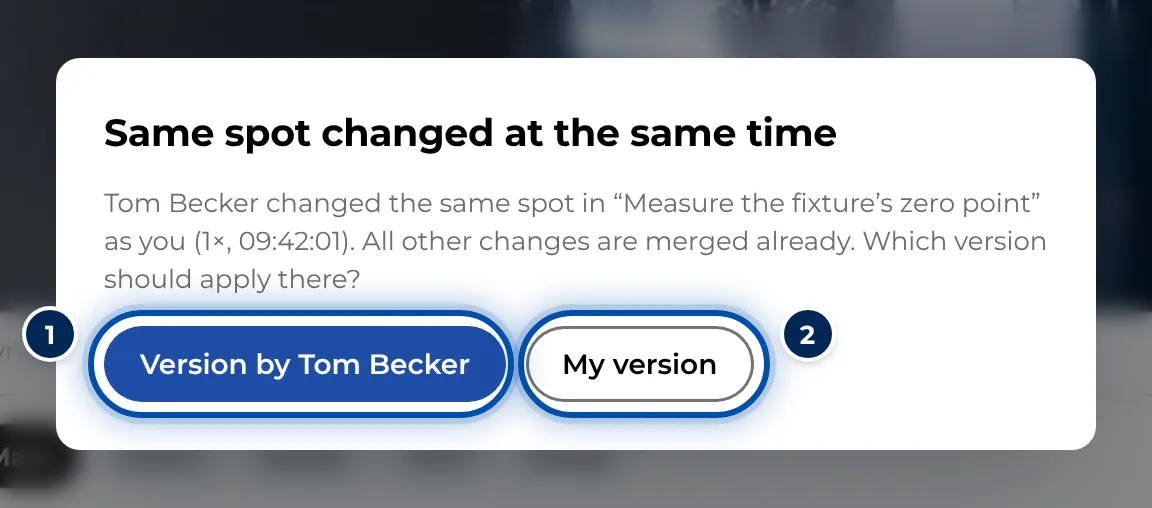
GIRI asks when two people have changed the same spot -
No common starting point: in rare cases GIRI cannot merge safely and shows the Someone else changed this instruction dialog. Load the current version (discard my change) discards your change. Overwrite anyway overwrites the other person’s changes.
-
You in two windows: if you work with your own sign-in in two windows or on two devices, GIRI merges without a message. It only asks when the same spot is involved (Same spot changed in two windows).
Approval and rights
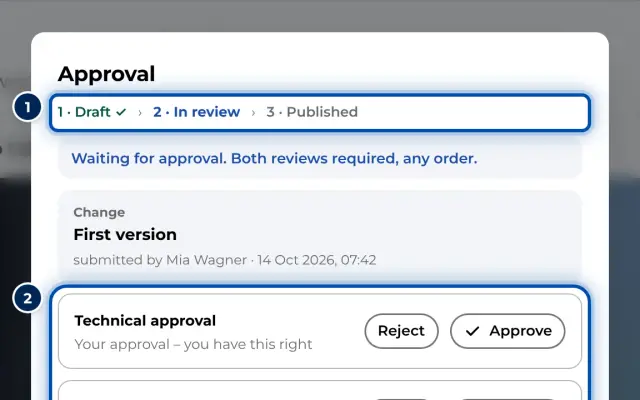
- If someone changes the content of an instruction with the status In review, it goes back to Draft. Approvals already given lapse. Agree with each other before anyone carries on working on a submitted instruction.
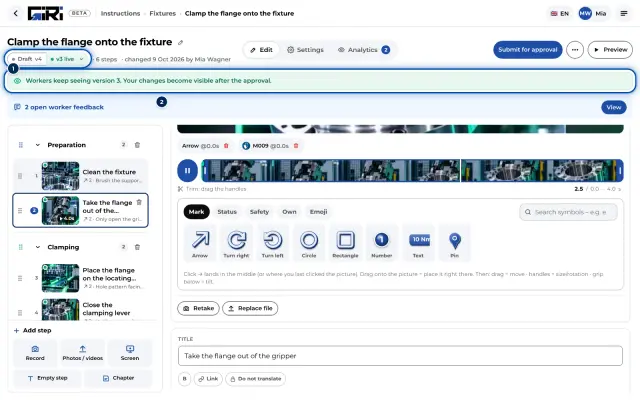
- A change to a published instruction starts the next version. Until that version is approved, workers keep seeing the old one, which you can tell by v2 live. See Update a published instruction.
- If someone lacks the right for a change, the server refuses it. GIRI then reloads the state from the server and tells you so.
Tips for working together
- Split the work by chapters or steps. Then GIRI never needs to ask.
- One person records, the other writes the texts: picture and text are different fields and merge well.
- Only submit once everyone has finished, and look at the preview together beforehand.
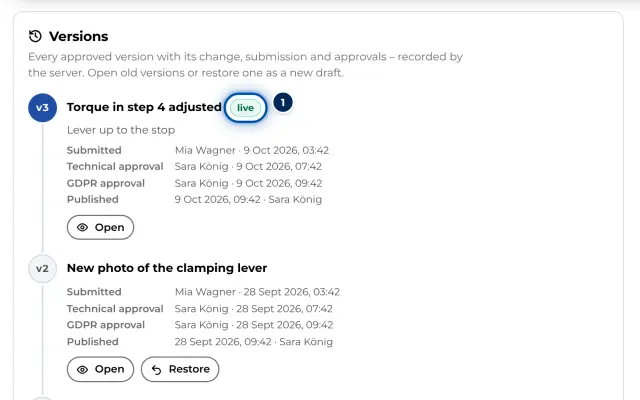
- Every approved version is kept. Under versions you see earlier versions and can restore one if needed.