Bootcamp
Lesson 2 · Planning the instruction
Day 2 in 30 minutes: 4 answers on 1 sheet of paper. Only then does the phone come out at the machine.
Whatever you settle on paper today, you will not have to film again tomorrow. The phone stays in your pocket until the 4 answers are on the sheet.
Your 4 answers, on 1 sheet
-
Goal: what can the learner do afterwards? One sentence. If you cannot write it, you cannot film it.
-
Audience: who exactly is this for? New hires? Experienced colleagues for a rare step? This determines the tone and the knowledge you can assume.
-
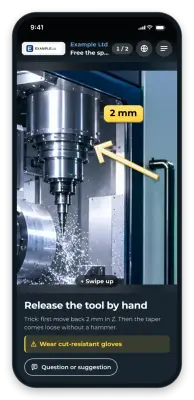
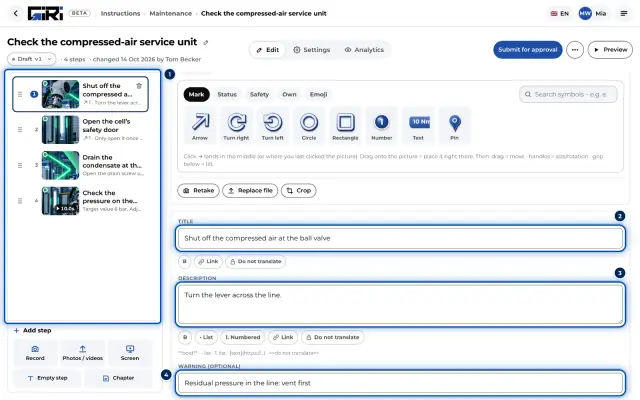
3 key points: what goes wrong most often? These three get special attention in the recording: their own clip, a short text, repetition if needed. In GIRI you can also highlight them with a warning or a marking in the picture (Edit steps, Add markings and symbols).
-
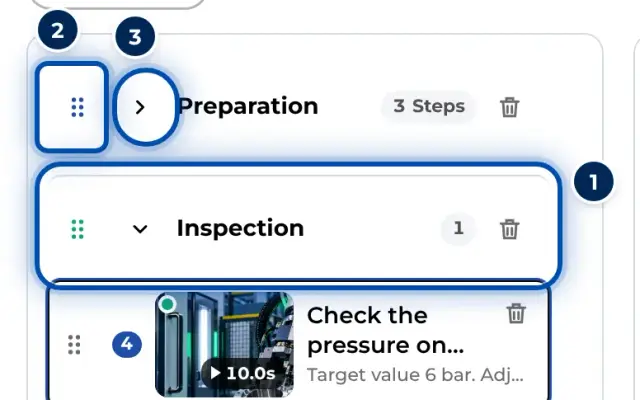
Order: list every step on paper. Before the camera rolls, not during. Larger sections become chapters in GIRI (Chapters and text-only steps).
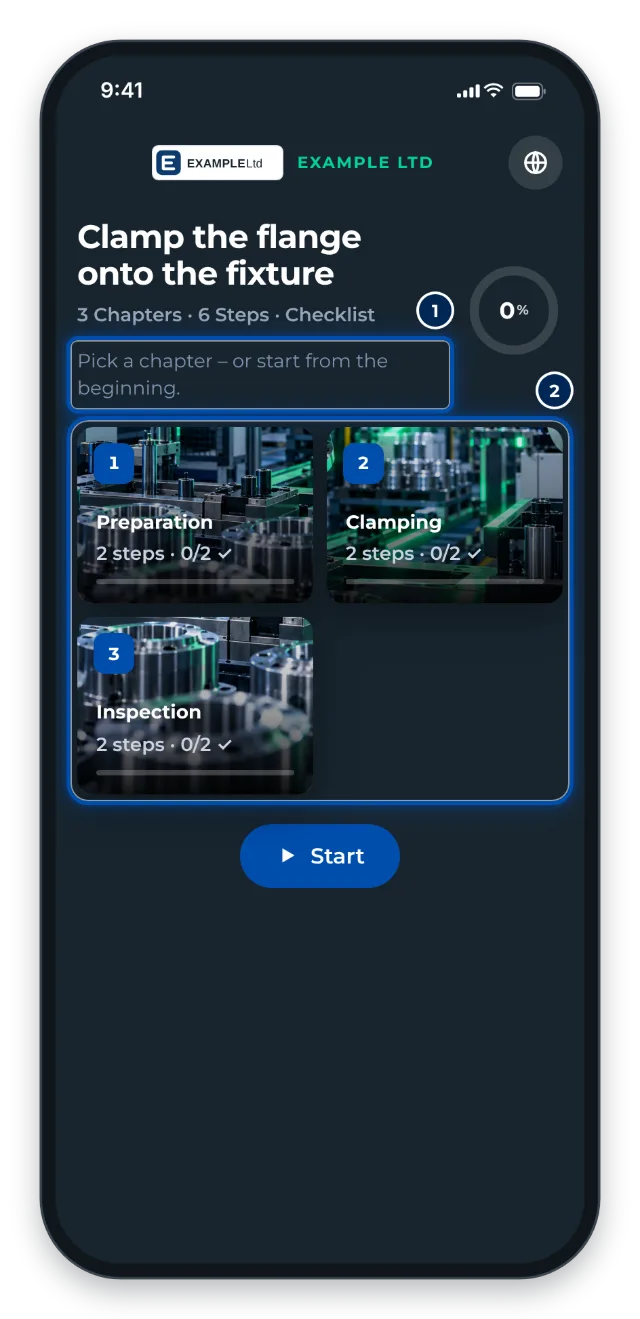
Your list becomes chapters: this is how a worker sees an instruction with 3 chapters and 6 steps
See it in GIRI
The example instruction “Example: Set up the clamping fixture” shows the rules in practice: three chapters (Preparation, Assembly, Inspection), five short steps, one warning. GIRI creates it as a draft in new, empty workspaces (Bootcamp overview). Open it under Instructions and look at it in the Preview. This is what the finished result looks like.
Next: Lesson 3 · Recording