Overview
New version available: how updates arrive
GIRI updates itself, in the browser and in the installed app. When the new version loads, what the notice means and where to find the version number.
How a new version arrives
- GIRI checks for a new version when it starts, every 30 minutes and whenever you bring the app back to the front. You do not need to download anything.
- On the start page, in a folder, under Statistics, in the Analytics of an instruction and under Users & teams, GIRI loads the new version straight away. At most you notice a quick reload.
- On the other pages GIRI does not interrupt you, for example in the editor, in the camera, while working through an instruction and on the Instructions page. A blue notice appears at the top, for example New version 12.81.0 available – load now. Tap it when it suits you. Otherwise GIRI loads the new version as soon as you go to the start page.

Which version you have
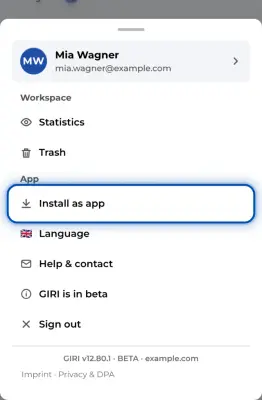
The version number is at the very bottom of the app menu, for example “GIRI v12.80.1 · BETA”, followed by the ID of your workspace. On the sign-in page it is at the very bottom. Include it when you report a bug. See Report a bug.
Why so often?
GIRI is in beta. Something new arrives almost every week. Your instructions are kept throughout. Buttons and texts can change, though. Every article in this Help Center states at the top the GIRI version it was checked against.
If something is not right
- The app seems out of date. Bring it to the front or reload the page. GIRI then checks for a new version.
- Something looks different after the update. During the beta, buttons and texts change now and then. If you cannot find something any more, Start page, instructions and menu at a glance helps. Otherwise get in touch.