Guide
Send a question or suggestion
Something unclear or a better idea? Send the people who made the instruction a message right from it, with a photo or video if you like.
What for?
You know the work best. Your question or idea makes the instruction better for everyone. The people who made it see your message in GIRI.
Before you start
- The instruction allows feedback. That is usually switched on.
- Internet. Without a connection, GIRI cannot send your message.
Step by step
-
Tap Question or suggestion under the step. At the end of the instruction the button is called Question or suggestion about this instruction.
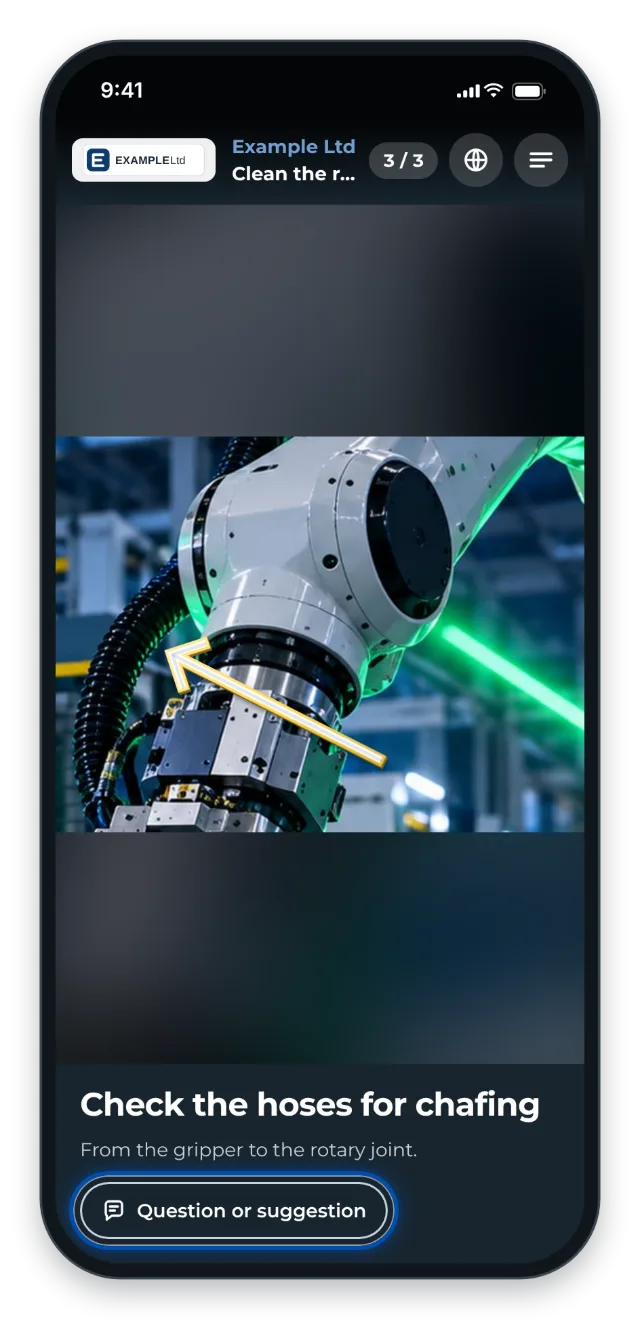
Every step has the Question or suggestion button -
Choose Improve the instruction or Improve the process. Write your message in the Your note field.
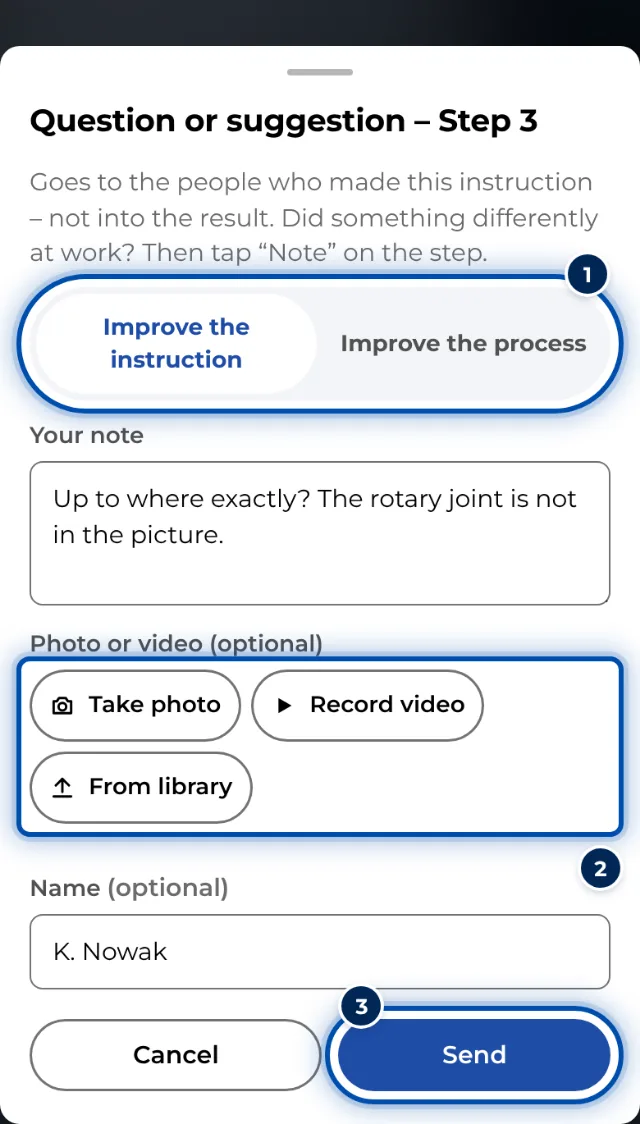
The window for a question or suggestion -
If you like, add a photo or video: Take photo or Record video. To use something already on your phone, tap From library. Your name is optional.
-
Tap Send. GIRI shows Thanks – the creators have it.
Tips
- If you tap the button under a step, GIRI already knows the step number. You do not need to add it.
- A short video often shows more than many words.
- The message does not go into your checklist result. If you did something differently at work, use Note in the checklist. See Complete and sign a checklist.
- Your name stays saved on the phone. Next time it is already in the field.
Common problems
- I cannot find the button. Feedback is switched off for this instruction.
- GIRI says: Feedback could not be sent Usually there is no connection. The message is then lost. Write it again once you are back online.
- Send does nothing. The text field is empty and no photo or video is attached. Write something or add a photo or video.