Use case
Shift handover
The shift handover is the moment knowledge has to travel, but usually does not. GIRI makes it structured and traceable.
The late shift reports problems to the early shift. The early shift still stumbles into the same mistakes, because the handover was “5 minutes at the door”.
What you document
- a standard handover checklist per line: order status, special conditions, problems, tool condition
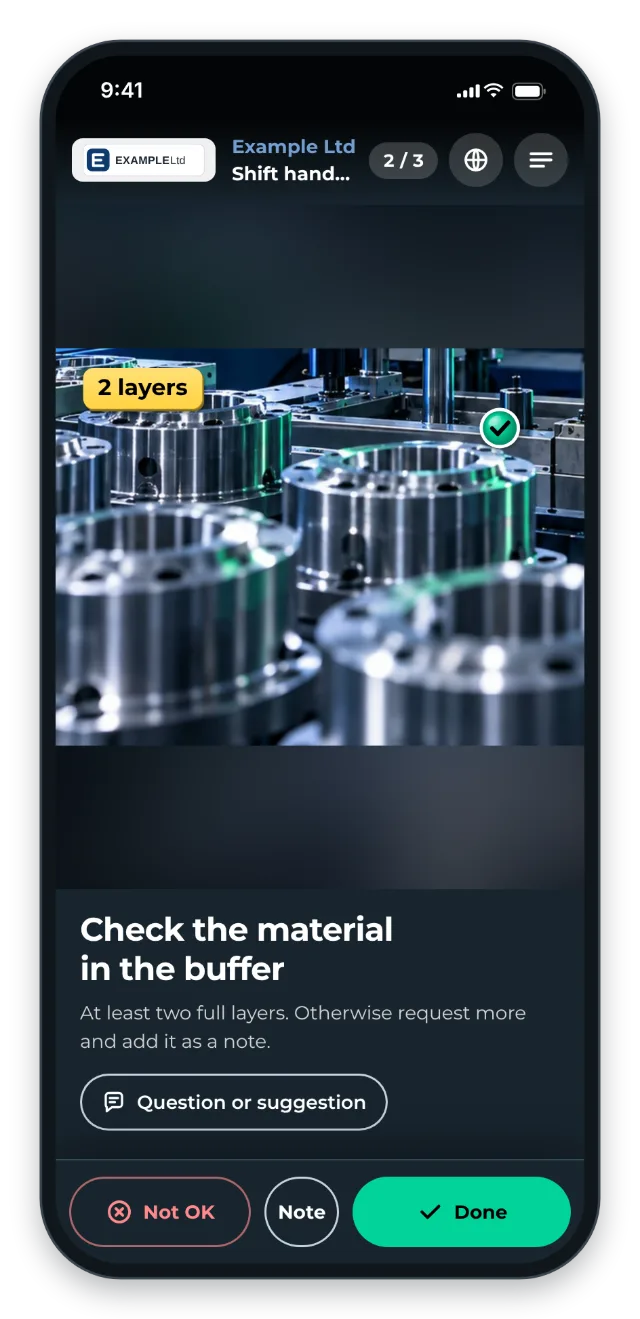
- a visual condition check: machine, material stock, cleaning
- where to report and whom to inform
The trigger: how do you recognise it?
- Recurring problems appear in the first hour of the new shift.
- Damage and anomalies are not passed on between shifts.
- There is a handover book that is half kept, or not kept at all.
- At an order change, the next shift loses time because it does not know where things stand.
The GIRI approach
The QR code is at the shift start point, for example on the handover board or at the control station. A structured instruction shows what to check, what to document and what to hand over.
The outgoing shift records anything unusual in the checklist: with Note or Not OK, each with a note or a photo. The shift lead sees every handover in the job-done log.
Links to your fault reports or digital shift log go into the step text as links. We provide an interface (API) on request. GIRI does not show the status of your machines.
The value
- Less knowledge lost between shifts
- A faster shift start: the next shift knows straight away where things stand.
- Recurring ramp-up problems disappear.
- Damage is spotted earlier, not only after several shifts.
Typical users
- 3-shift operations
- Continuous production (chemicals, food)
- Highly automated lines with operator teams
- Logistics centres running 24/7
What you want to avoid
- Treating the handover as a pure communication exercise. Structure it with a visual instruction.
- Making it too long. 5–10 minutes is the operational maximum.
- Documenting only problems. “Everything is running” is important information too.
What to measure
Record the values before you start and compare them after a few weeks.
- Problems in the first hour: faults and errors at the start of the shift that the previous shift already knew about.
- Completeness: handovers with every check point confirmed. The job-done log shows this for every run.
- Duration: minutes per handover, also in the job-done log.
How to do it in GIRI
-
Create a handover instruction per line, with one step per check point (Create a new instruction).
-
Enable the checklist with Every step. That way, “everything is running” is confirmed explicitly too (Set up a checklist and signature).
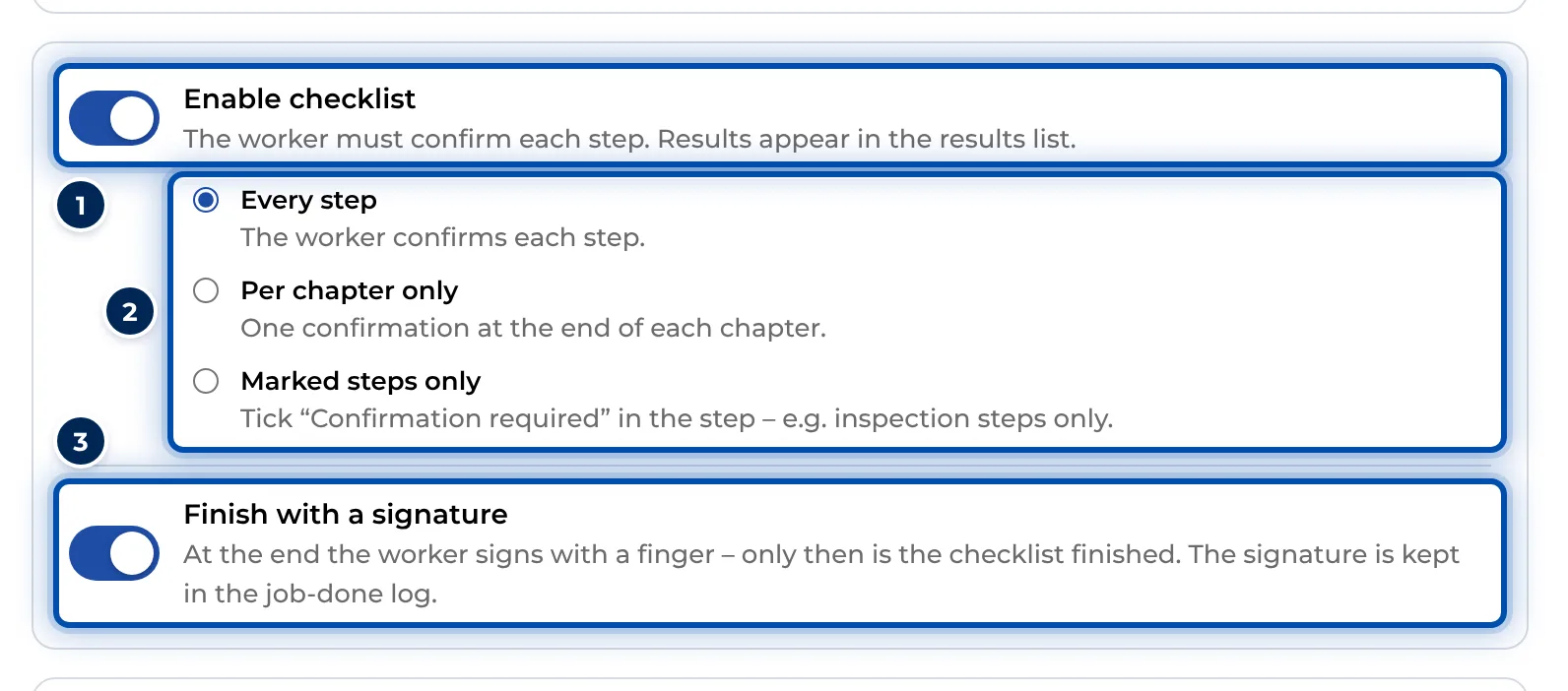
An instruction’s checklist with its three modes -
Put links to fault reports or the shift log into the step text (Format text).
-
Put the QR sheet on the handover board (Print the QR sheet).
-
The shift lead reads the notes and photos of the last handover in the job-done log (Job-done log).
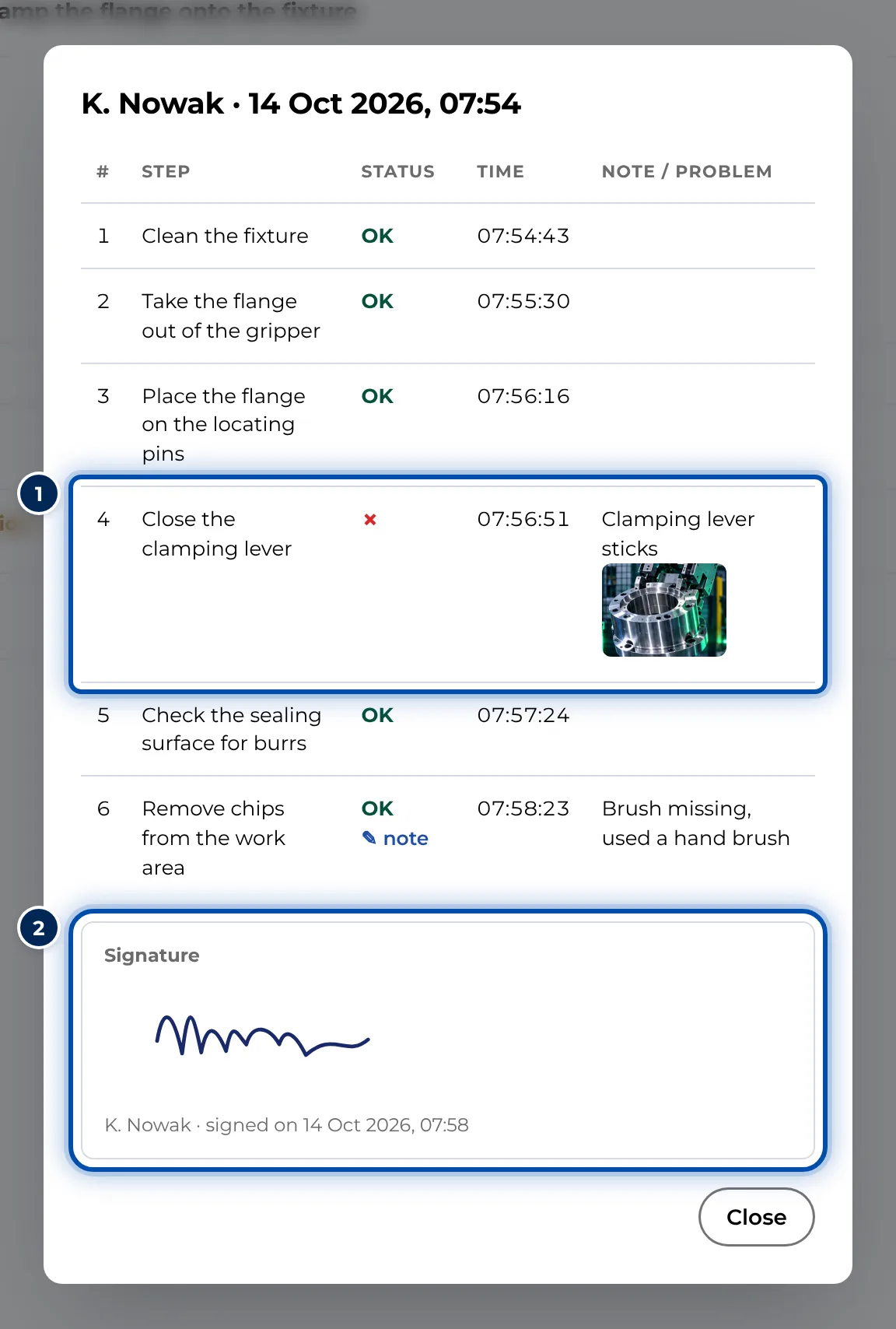
Details of a handover with every step, the note and the signature