Overview
Recording and editing without a connection
What works in the installed GIRI app without a connection, what GIRI uploads later and what you need a connection for.
In the installed app you can record and edit without a connection. GIRI stores everything on the device and uploads it as soon as a connection is back. Approving needs a connection.
Prepare while you are online
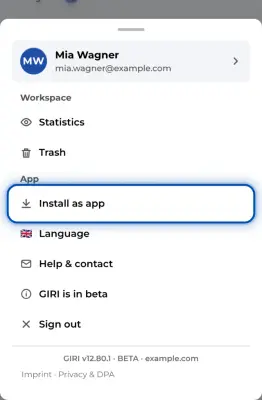
- Install GIRI as an app and sign in once with a connection. See Install GIRI as an app. On an iPhone, everything below only applies to the installed app, because in the browser iOS may clear the storage after 7 days.
- Signing in needs a connection. When your sign-in runs out, after 14 days by default, GIRI signs you out, even without a connection. So before a longer stint offline, sign out and in again once. See Stay signed in.
- Open GIRI once with a connection. The device then keeps the list of your instructions with all their texts. Without a connection you see the state of that last connection.
- Open the instructions you want to work on once in the editor. GIRI then stores their pictures and videos on the device in the background: all of them on a PC, the next three steps on a phone. These copies are kept for 14 days after you last opened the instruction.
What works without a connection
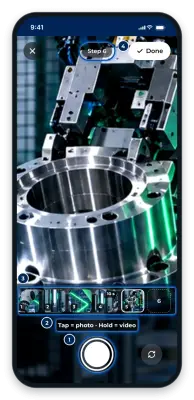
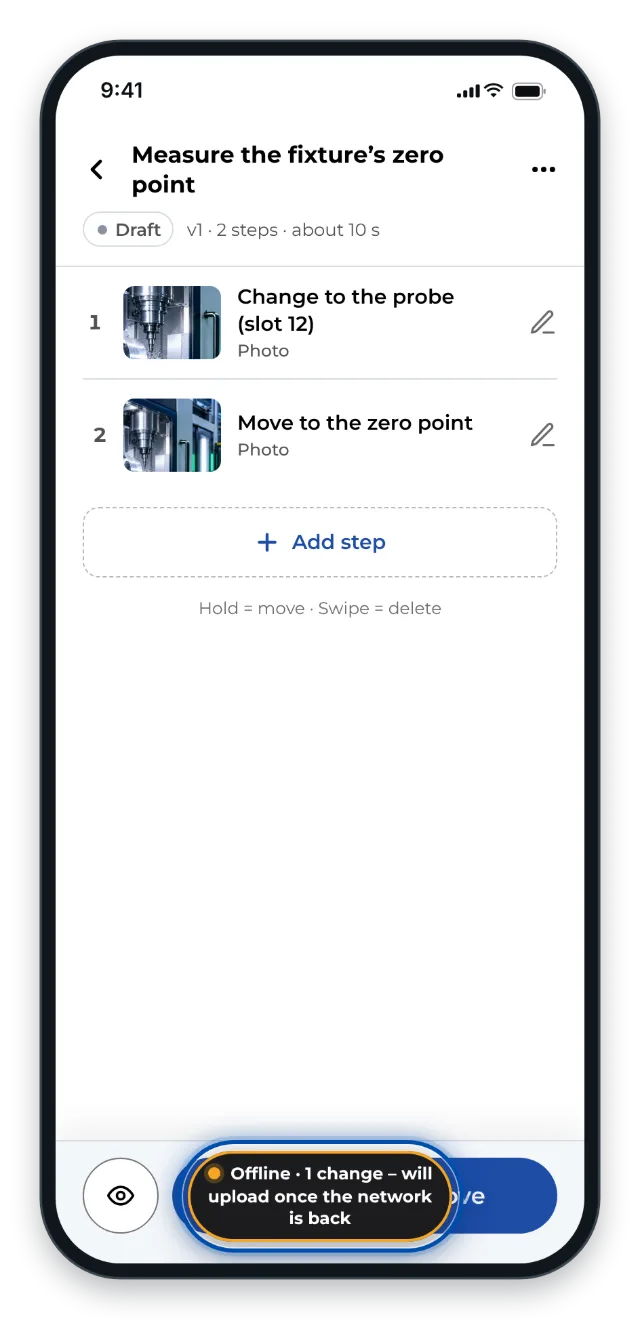
- The installed app starts. If the Wi-Fi has no internet, it starts after a few seconds with the data on the device. A small indicator at the bottom centre shows Offline; in the camera it sits at the top. When the list loads, GIRI reports No network – showing the local copy.
- You create new instructions, record steps with the camera and edit texts, order, chapters and markings. GIRI stores every change on the device, and the indicator counts what is waiting. If the connection drops in the middle of saving, GIRI reports No network – saved locally, will upload later.
- Submitting works without a connection too. If you hold approval rights yourself, on a phone choose Only submit – someone else approves.
What needs a connection
- Creating instructions from a PDF or photos and translations with DeepL.
- Uploading your own preview image and duplicating instructions.
- Pictures and videos that have never been on this device.
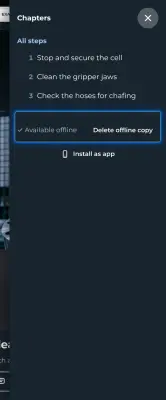
- Saving instructions in advance for workers (Make available offline). Without a connection this appears: Saving to the device needs the internet once.
Approve only with a connection
If you submit on a phone and approve in the same step, GIRI blocks the approval without a connection and shows: Approving needs a network. Submitting works without one – “Only submit”. In the Approval dialog on a PC and on the review page, however, GIRI does not check the connection. Your approval then shows up on your device straight away, and after the last approval the instruction even appears as published there. The server and the workers only get it once the device is back online and has uploaded it. So only approve with a connection.
When the connection is back
- GIRI uploads by itself: as soon as the device is online again, every 30 seconds and whenever you bring the app back to the front. Changes go first, then recordings.
- The indicator shows how many recordings and changes are still waiting. If it says uploading …, GIRI is uploading right now.
- If something is still waiting although you have a connection, tap the indicator. GIRI then tries again at once.
- Keep the app open until the indicator disappears. If you close it earlier, the browser usually asks first. Anything still waiting stays on the device and is uploaded the next time you start with a connection.
If others changed something in the meantime
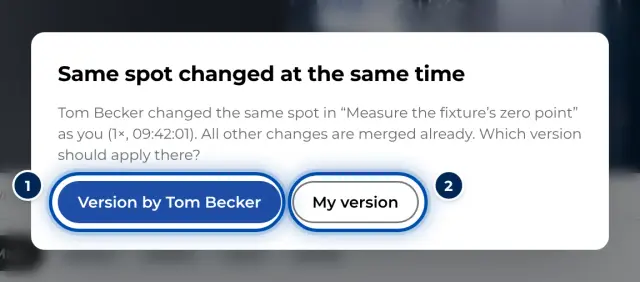
If someone changed the instruction while you were offline, GIRI merges both versions when uploading, just as when two people edit at the same time. Only if you both changed the same spot does GIRI ask which version should apply.
If a recording is missing
If the connection drops while saving, a recording can be left on the device without an instruction. You find it in the trash under Recordings without an instruction on this device and can attach it again there.
Workers use instructions offline in a different way: GIRI stores finished instructions for them to view. See Using instructions without a connection.