Overview
Personal data: what GIRI stores
Which data about people is created in GIRI, who sees it, how long it stays and how admins handle data export and erasure requests.
The short answerGIRI stores data about people in accounts, in instructions, in the job-done log, in feedback and, if activated, in training records. Views are counted without names.
What GIRI stores
| Area | Data | When |
|---|---|---|
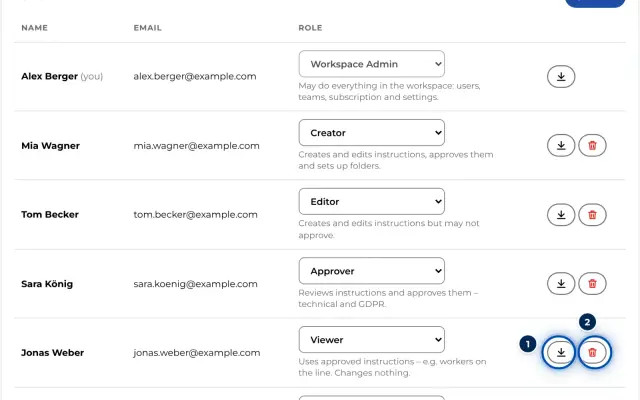
| Accounts | Name, e-mail address, role, team memberships, optional profile photo, time of registration and of the last sign-in. For invitations: address, role, who invited them and when. | For everyone who works in GIRI |
| Instructions | Who created, last changed, submitted and approved, with the date, also in the versions | With every change and approval |
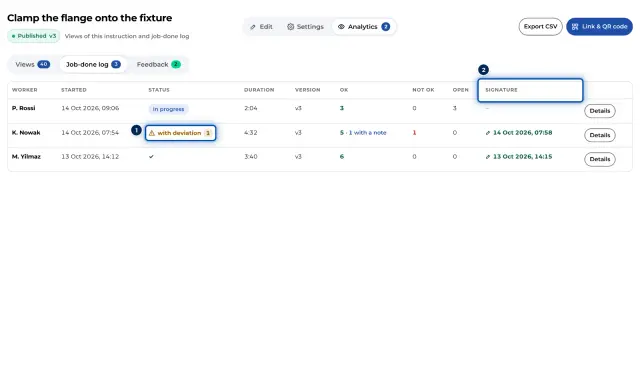
| Job-done log | The name the worker types in, start and end, the result of each step with the time, notes and photos for Not OK and Note, the version and, if switched on, the signature | Only for instructions with a checklist |
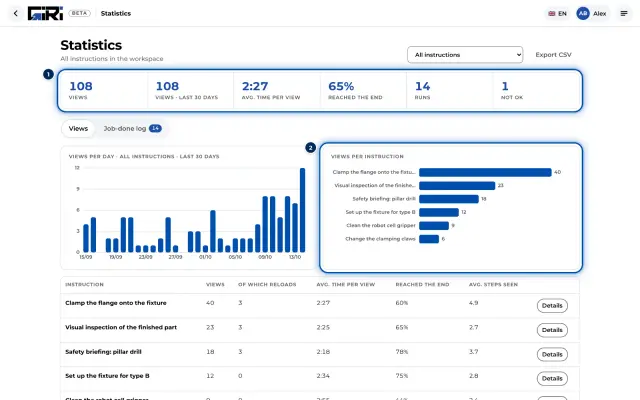
| Views | No name. Time, duration, steps seen, whether viewed to the end, device type (iOS, Android, Mac, Windows, other) | Each time a published instruction is opened |
| Feedback | Text, optional photo or video, step, time. The name is optional. | When someone sends feedback |
| Training | List of people with name, personnel number, department, optional e-mail, mobile number and language, with Number + PIN also the Sign-in no.. Records with time and signature. PINs only as a hash, never in plain text. | Only if GIRI has activated training |
| Technical | App starts, errors and slow page changes with user ID, device type and browser; deleted after 30 days. Each AI import with the person, time and model. Invitation and subscription e-mails with recipient and time. Sign-ins by QR code with the device type. | Ongoing |
| Customer care by GIRI | For each account the e-mail address, name, user ID, date of the most recently created instruction and the number of views of the instructions the person created, transferred to HubSpot. For every new account an e-mail to GIRI with name, e-mail address, role and workspace. | Ongoing |
Two details about shared devices: a device remembers the name a worker last typed in and suggests it next time. The feedback form shows this name pre-filled, and the worker can delete it. For training with Number + PIN, the device does not remember a name.
Who sees what
- Everyone signed in, including Viewer, sees the names in the instructions they may open, such as who created and approved them.
- People with the edit right find the Analytics tab in the instruction and work on the feedback there.
- Admins see everything and handle data export and erasure, see GDPR data export and erasure.
- Training data is managed by admins. People with the workspace role Approver, Compliance Approver or Compliance Manager may read it, as may team admins for their department.
- Workers without an account see no logs, views or feedback of others.
How long data stays
- GIRI does not delete views, job-done logs or feedback automatically. They cannot be deleted one by one in the app either.
- Deleted instructions stay in the trash for 30 days and are then archived, together with their versions, logs and records. There is no permanent deletion in the app, see Trash and archive.
- Erasure under GDPR: admins erase people with an account themselves. Admins delete people on the training list, with all their records, under Training → People. For anything else, write to giri@ar-giri.de.
Further information
- Where the data is stored and which service providers are involved: Where is my data?.
- Privacy policy and data processing agreement: in the app under Menu → Privacy & DPA.
- For discussions with the works council: Information for the works council.
- This page describes what GIRI does. The legal assessment, for example which retention periods apply to you, lies with your own experts, such as your data protection officer.