Use case
Field service technicians worldwide: one knowledge standard for all
Does service quality depend on who you send? A central, visual knowledge base brings every technician to the same level.
Senior technicians solve everything, juniors keep calling in, and classroom training does not scale.
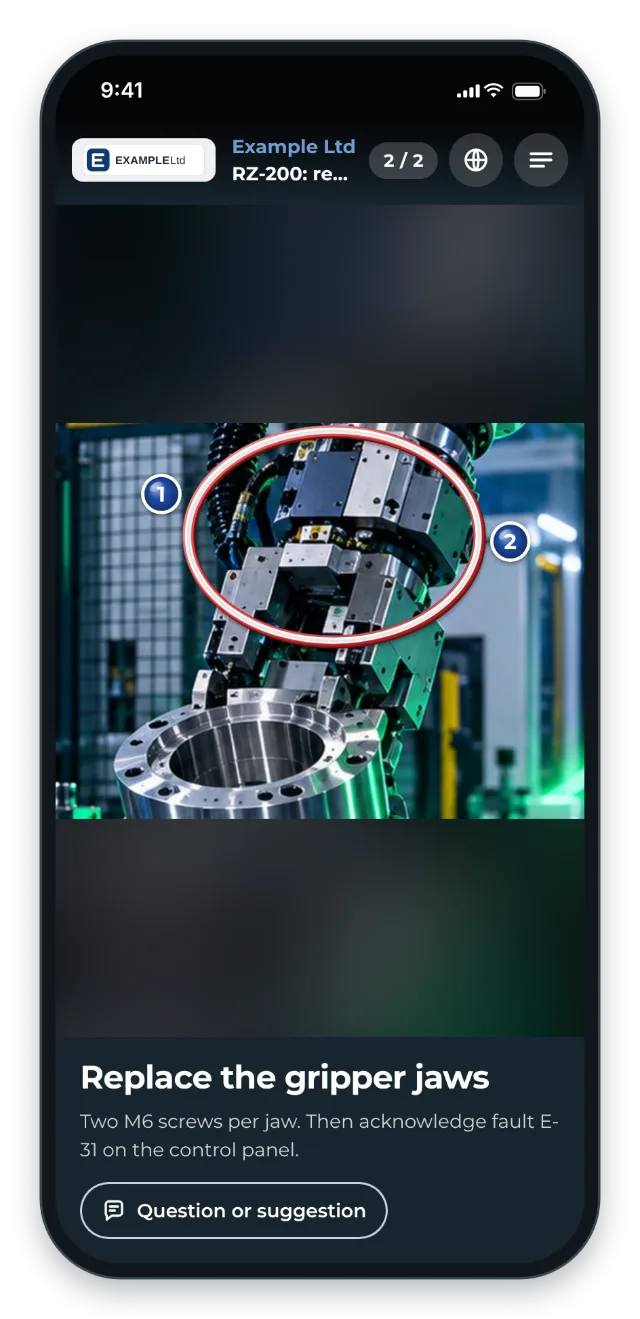
Machine builders with a worldwide service team know the pattern: knowledge varies across the team, training trips are expensive, what was learnt is forgotten within a few weeks, and a global team adds language barriers. GIRI creates a central, visual knowledge base, a kind of “Wikipedia with videos”. Technicians record the instructions for it with their phone right at the machine and open them via link or QR code.
The trigger: how do you recognise it?
- Service quality varies depending on which technician visits the customer.
- Junior technicians constantly call the 2–3 senior experts.
- Classroom training burns travel budget and does not scale.
- Technicians abroad struggle with German or English text manuals.
- Knowledge fades quickly after training because there is no central reference.
- Dispatching is hard because only certain people can handle certain machines.
The GIRI approach
A central library per machine type: commissioning, fault diagnosis, maintenance routines and on-site checklists are collected in one folder. Technicians open them on their phone via link or QR code.
Visual instead of text: pictures and short clips work across language borders. For the text, each technician picks their language, and GIRI machine-translates it with DeepL.
Capture senior knowledge once, use it worldwide: the special cases and tricks of experienced staff get documented. This is the direct link to the mega driver Securing knowledge.
QR codes on the machine at the customer site: the technician scans and has the right instruction on the spot.
The value
- One consistent service standard worldwide, no matter who travels
- Lower travel costs for training and senior call-outs
- Fewer internal support calls because juniors can help themselves
- New technicians are ready for deployment sooner.
- Easier dispatching because more technicians can handle more machines
Typical users
- Machine and plant builders with worldwide service
- After-sales organisations with large technician teams
- Commissioning teams
- International technician pools with language barriers
What you want to avoid
- Classroom training as the only pillar. It is expensive, short-lived and does not scale.
- Documentation in Word silos. It takes too much effort, so it does not get done, and nobody finds it.
- English-only documents for a global team.
- Leaving the knowledge with 2–3 senior technicians. That is the bottleneck, not the solution.
What to measure
Record the values before you start and compare them after a few weeks.
- Calls to senior technicians: questions per job that only experienced staff can answer.
- First-time fix rate: share of jobs completed on the first visit.
- Readiness: weeks until a new technician visits customers on their own.
- Use on site: the analytics show how often the instructions are opened and on which device. GIRI does not count opens without a network connection.
How to do it in GIRI
-
Create a folder per machine type. If your workspace has teams, use Who sees this folder? to set who sees it in GIRI (Create folders, Teams and folder access).
-
Let senior technicians record their routines right at the machine: Tap = photo · Hold = video (Record steps with the camera).
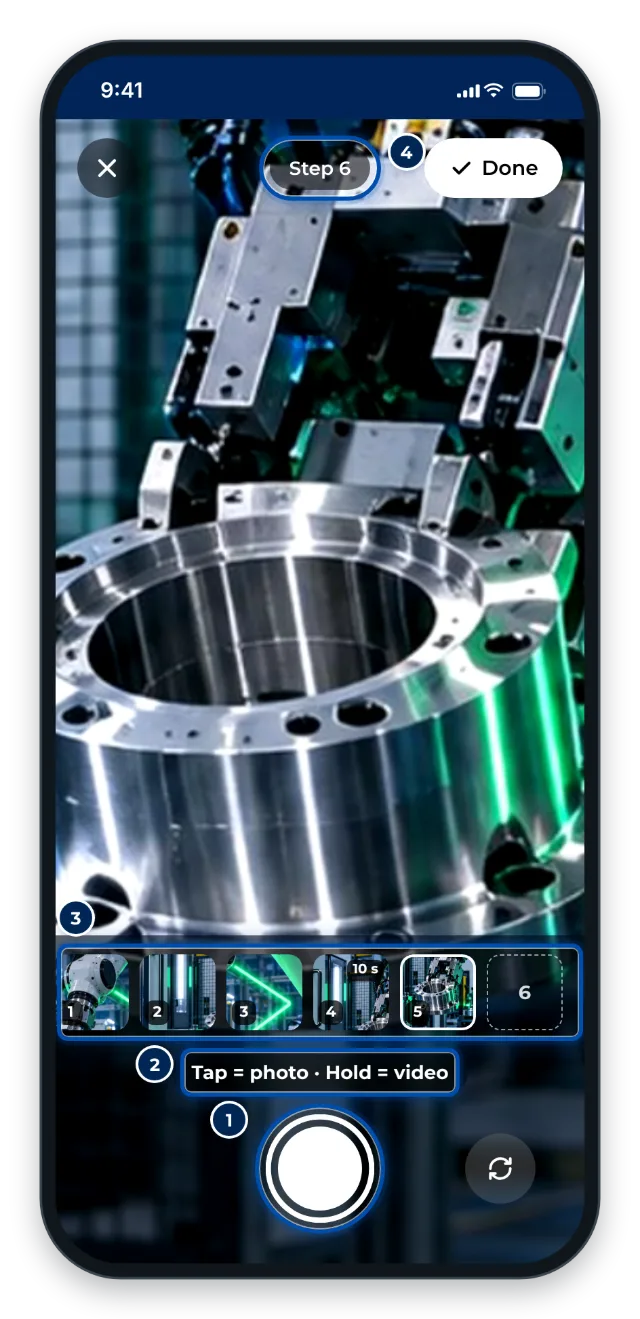
The camera in GIRI for recording right at the machine -
Mark error codes and part numbers with Do not translate so the translation leaves them unchanged (Format text).
-
Once the instruction is approved, share the link and QR code. The QR sheet on the machine stays valid for new versions (Share the link and QR code).
-
Anyone standing in front of a QR code at a customer site can scan it. So protect internal instructions with a link password for the folder (Protect instructions with a link password).
-
Customer sites often have no network. Once the technician has opened the instruction with a connection, it also opens on their device without one (Using instructions without a connection).
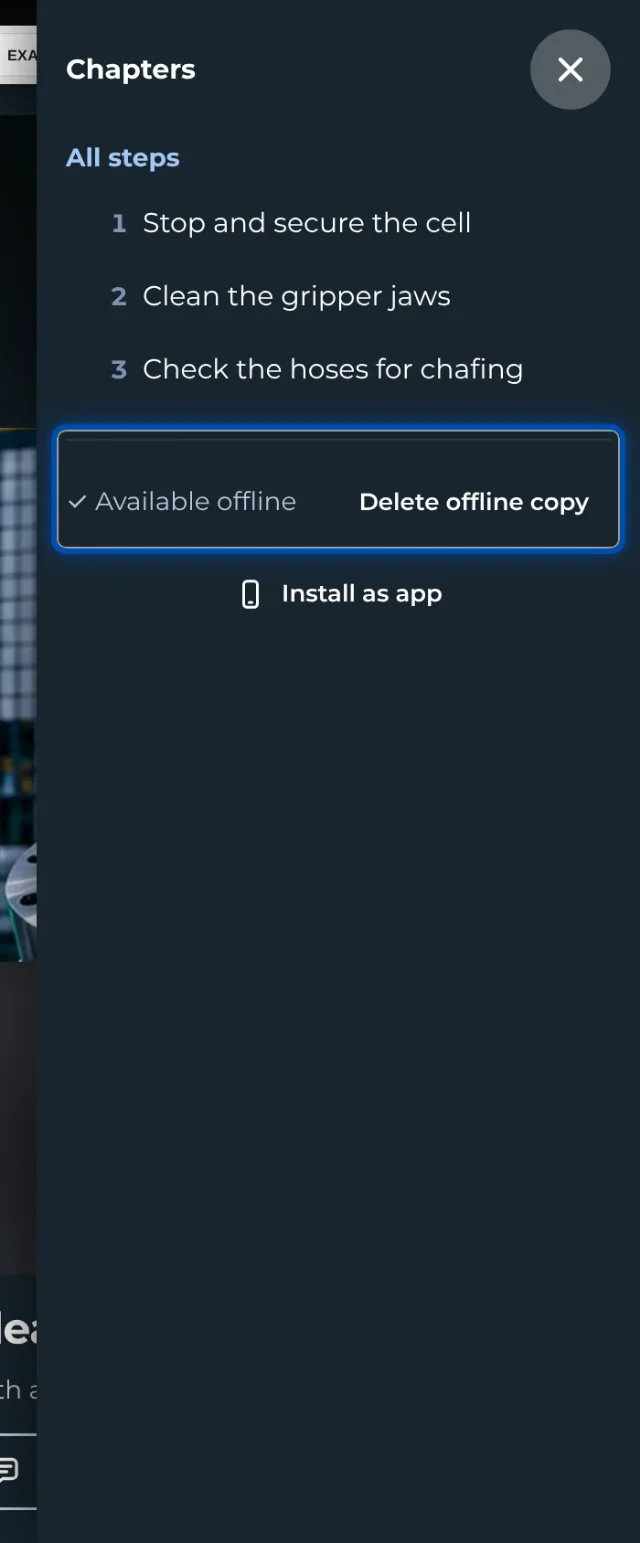
The instruction’s menu shows whether the copy on the device is complete -
Technicians report gaps via Question or suggestion. If they attach a photo or video, you turn it into a new step with Adopt as step (Handle and adopt feedback).