FAQ
Can I reuse existing documents?
PDF instructions, paper, Word and old instructions from GIRI 11: how to reuse existing documents in GIRI.
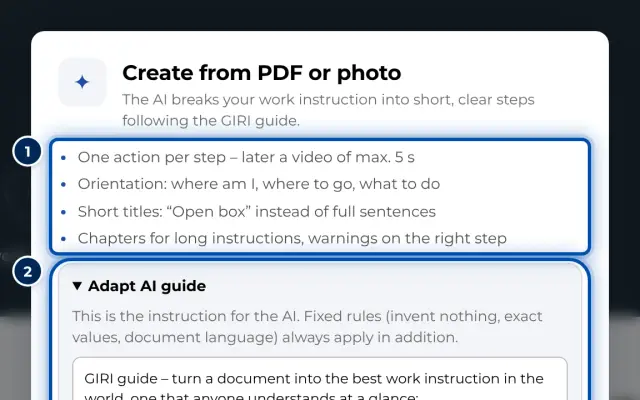
The short answerYes. From a PDF or photos of a paper instruction, the AI creates a proposal with a title, steps and chapters. You review it and take over the steps. Save Word files as PDF first.
From PDF or photos (AI)
- Start with Create from PDF or photos on the start page, or in the list with New instruction and Create from PDF or photo.
- You can use a PDF of up to 12 MB or 1–20 photos, for example of a paper instruction.
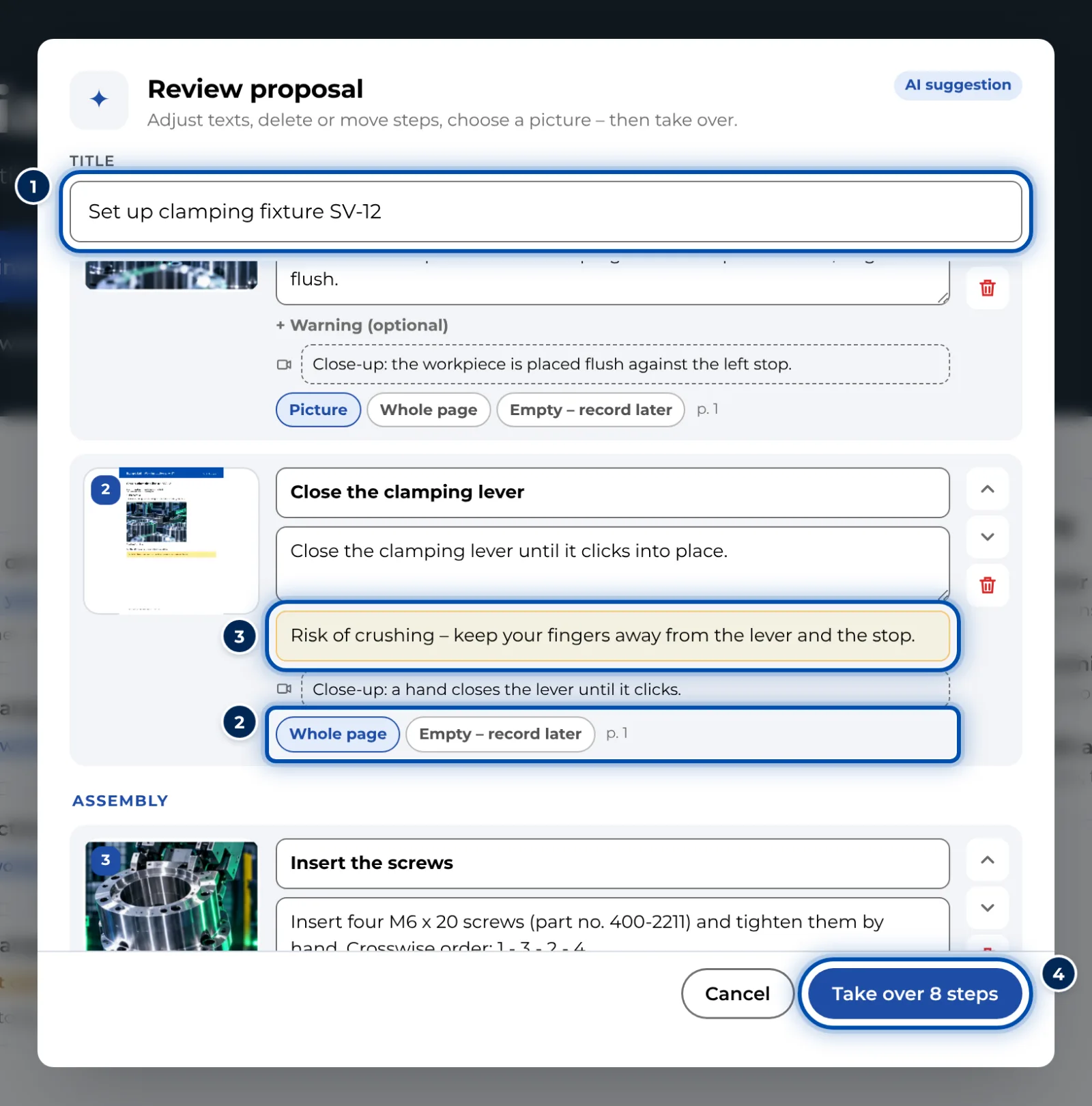
- Besides a title, steps and chapters, the AI also proposes warnings and picture crops from the original. Under Review proposal you adjust everything and take it over with Take over … steps.
- Then record the steps one after the other with Record. GIRI shows each step’s text over the camera image and replaces the pictures from the original.
- This needs the edit right and works at most 60 times per workspace per day.
- Processing uses Gemini via Google Vertex AI in Frankfurt. According to the app, the file is not stored and not used for training.
For any file other than a PDF or photos, GIRI shows Please choose a PDF or photos. More in Create from PDF or photos.
Linking documents
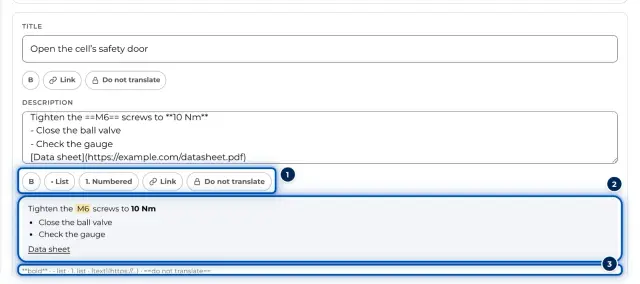
Data sheets or drawings don’t have to live in GIRI. Use Link in a step description to link to the file, for example on your intranet.
From GIRI 11
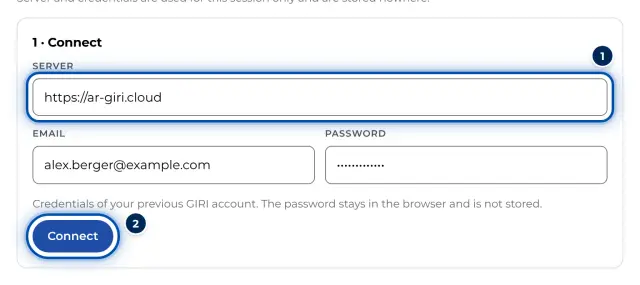
The workspace admin brings instructions from GIRI 11 into GIRI 12 with Import from GIRI Classic: Import from GIRI 11.