Use case
Machine operation for a new order
New order, new parameters: with GIRI the operator sees the setup step by step, without paper notes and without calling the supervisor.
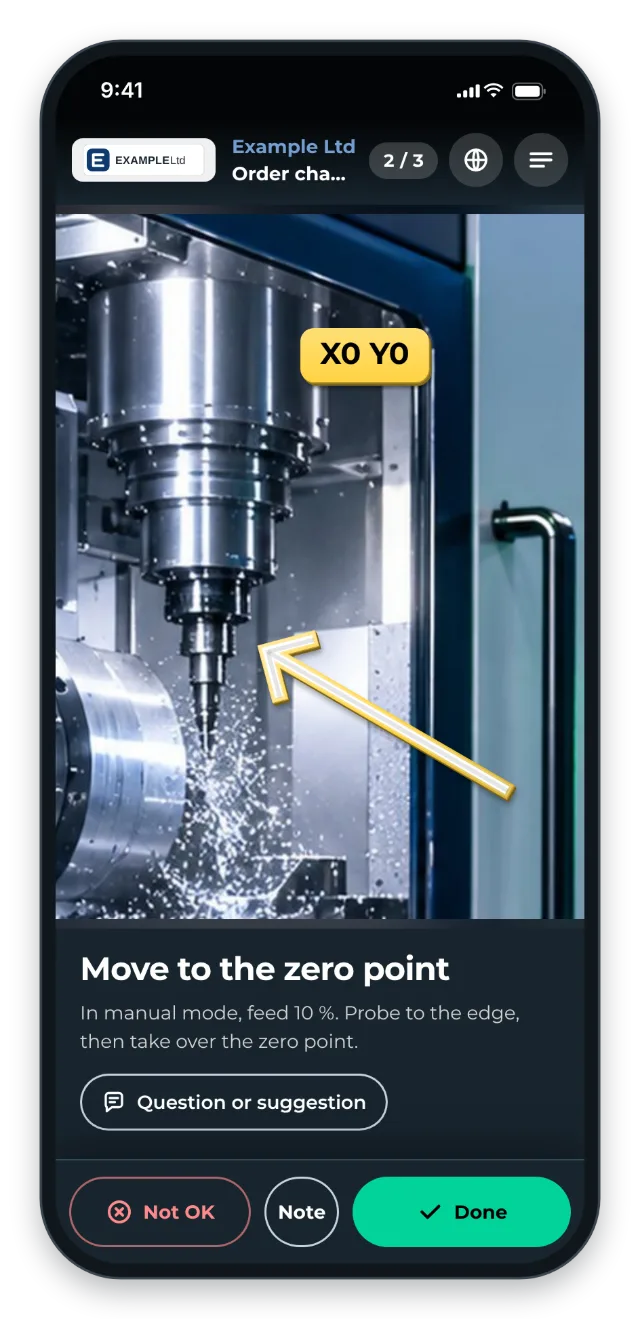
With little experience or rare orders, every changeover costs time and produces scrap during ramp-up. Each machine typically needs 3–7 instructions:
- loading the CNC program and setting the zero point
- configuring the clamping fixtures for each order
- changing material, with the material parameters
- first-article inspection after setup
- ramp-up and release of the first parts
The trigger: how do you recognise it?
- The first 30–60 minutes after a changeover are the most error-prone.
- Experienced colleagues get called for every setup change.
- The order documentation is paper that disappears somewhere on the shop floor.
- For rare orders, the setup gets “reinvented” every time.
The GIRI approach
The QR code is on the machine or with the order sheet. The operator scans it before the setup. Each step has a clip, and arrows point to the right spot.
At the end, a separate inspection step covers the first parts. With the checklist on, the operator records the result there with Note and a photo. If something is not right, they report it with Not OK, a note and a photo.
The value
- Shorter training time on new orders
- Less scrap during ramp-up because the first parts are right sooner
- Experienced staff are relieved instead of being called constantly.
- Knowledge stays in-house, even when the supervisor leaves.
Typical users
- Contract manufacturing with many variants
- Machine building (one-offs and small batches)
- Automotive suppliers
- Precision manufacturing
What you want to avoid
- Packing all variants into one instruction. Better 5 short ones than one monster.
- Waiting for the supervisor to write it down some day. They never have time.
- Text-only documents. Nobody reads 4 pages of Word while the machine is down.
What to measure
Record the values before you start and compare them after a few weeks.
- Ramp-up time: minutes from the changeover to the first good part. If the instruction ends with the inspection step, the job-done log shows how long each run took up to that point.
- Ramp-up scrap: bad parts after the changeover, from your production records.
- Calls for help: how often the supervisor or a colleague has to come during setup.
How to do it in GIRI
-
Record the setup right at the machine: Tap = photo · Hold = video. A clip stops after 12 seconds (Record steps with the camera).
-
Point to the right spot with Arrow and add parameters to the picture with Text (Add markings and symbols).
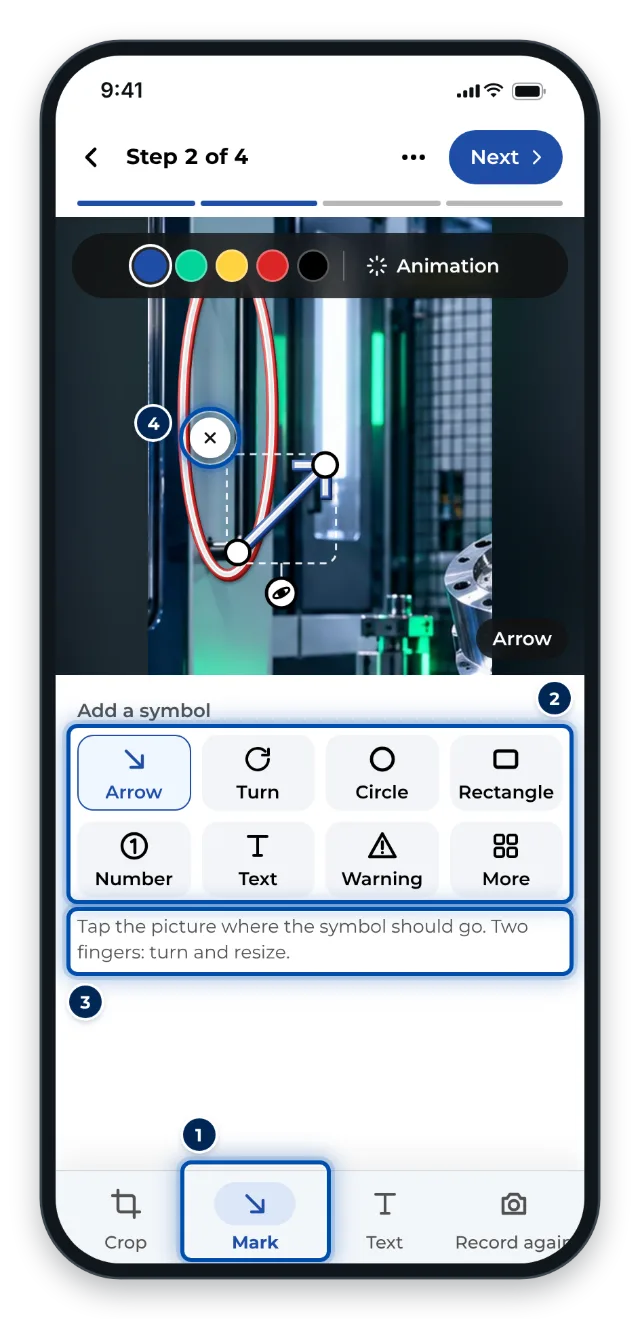
Marking up on a phone: arrow, circle, number and text for the picture -
Add an inspection step for the first parts at the end and enable the checklist (Set up a checklist and signature).
-
Once the instruction is approved, print the QR sheet and put it on the machine or with the order sheet (Print the QR sheet).
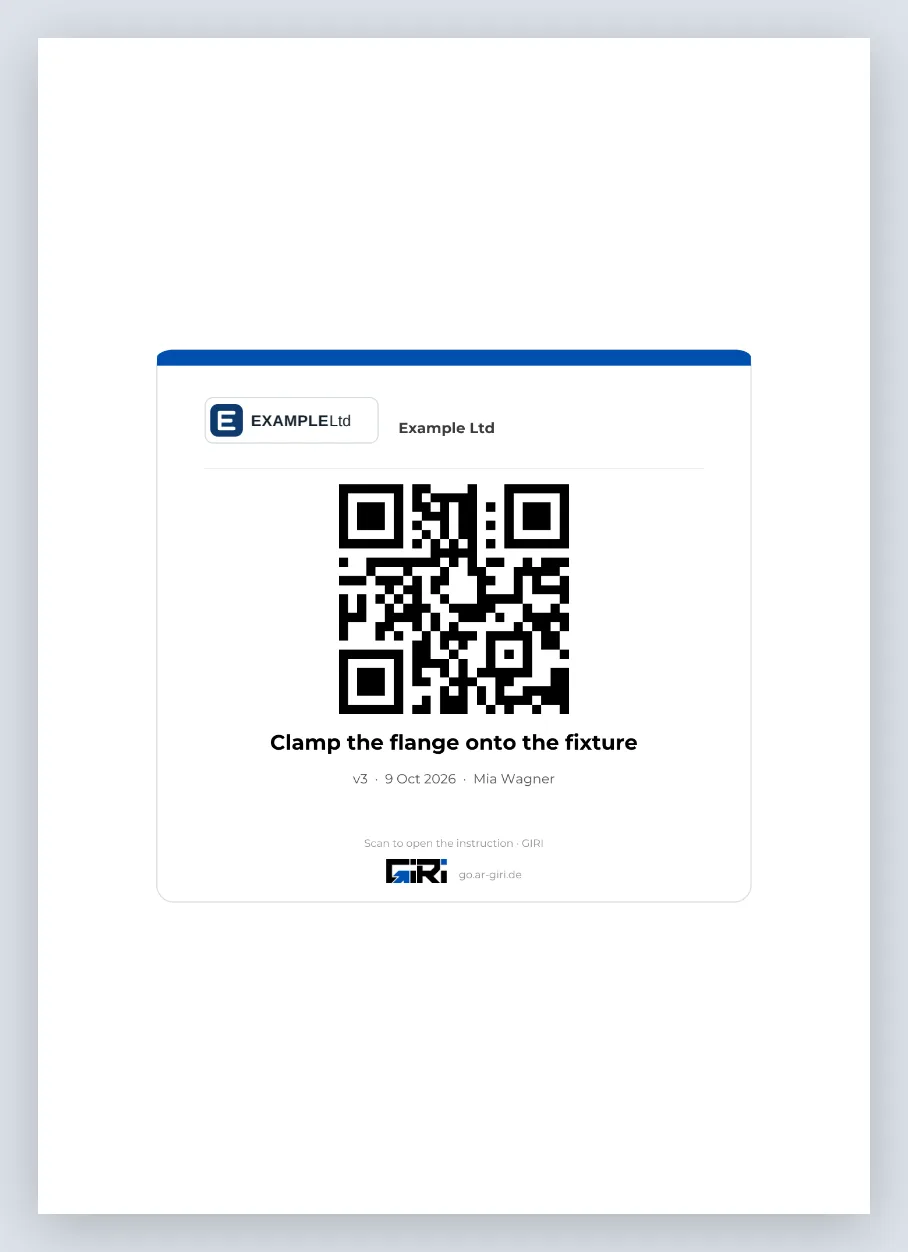
The QR sheet as an A4 PDF for the machine or the order sheet