Use case
Securing knowledge before it walks out the door
Knowledge leaves every day: through retirement, turnover and what never gets documented. Here is how to capture it with GIRI before it is gone.
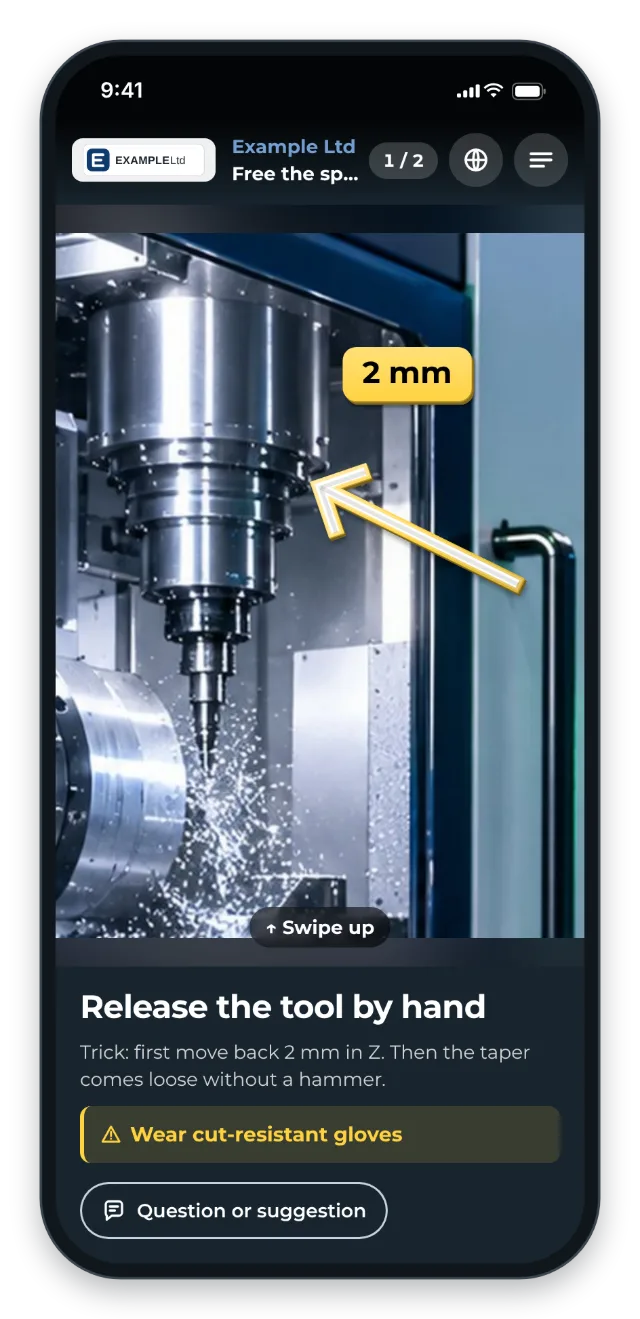
The most important knowledge is not in the Word SOPs. It is in people’s heads: the real tricks, the typical edge cases, the right reaction when the machine behaves strangely. And it drains away through three channels.
The three drains
- Retirement and demographics: with the baby-boomer wave of 2025–2032, experienced knowledge carriers leave, and their knowledge leaves with them.
- Turnover and change: technicians and operators move on. Every departure takes experience with it.
- Never documented: a typical sentence from practice goes: “Documenting in Word takes too long, so it does not get done. The knowledge only exists in people’s heads and gets forgotten.”
The trigger: how do you recognise it?
- The “irreplaceable” supervisor retires in 2 years, and there is no trained successor.
- Technicians or operators resign. Every departure takes experience with it.
- When person X is off sick, the shift runs at half productivity.
- For rare faults, the same person always gets called.
- Documentation happens “some day”, meaning never, because Word makes it too much effort.
- Your SOPs cover only part of reality. The rest is experience.
How to proceed
- Identify the knowledge carriers: the 3–5 people nothing runs without.
- Plan recording days: not as “training” but as “we are documenting your work”.
- Join them at the machine: let them show you and keep asking: “Why do you do it that way?”
- Iterate with successors: their questions bring out the truly deep tricks.
- Structure the library so the knowledge stays easy to find.
The value
- Critical knowledge is documented before it drains away.
- Successors get access to knowledge, not just SOPs.
- More resilience against sickness, holidays and resignations
- Appreciation: the experts’ experience is preserved.
Typical users
- Mid-sized companies with an ageing workforce
- Teams with noticeable turnover (service, logistics, manufacturing)
- Industries with long onboarding times (machine building, specialist manufacturing)
- Plants that have been running for more than 20 years and carry a lot of tacit knowledge
What you want to avoid
- Waiting until the expert resigns or announces retirement. By then it is too late.
- Letting the expert document alone. Join them at the machine.
- Thinking SOPs are enough. Only questions bring out the implicit knowledge.
- Treating knowledge retention as an HR project. It is a productivity project.
What to measure
Record the values before you start and compare them after a few weeks.
- Coverage: for how many critical tasks of the knowledge carriers is there a published instruction?
- Dependency: how often the same person gets called for rare faults.
- Successors’ questions: how many come in via Question or suggestion and how many of them are dealt with (Handle and adopt feedback).
How to do it in GIRI
-
On recording day, record right at the machine with a phone or tablet (Record steps with the camera).
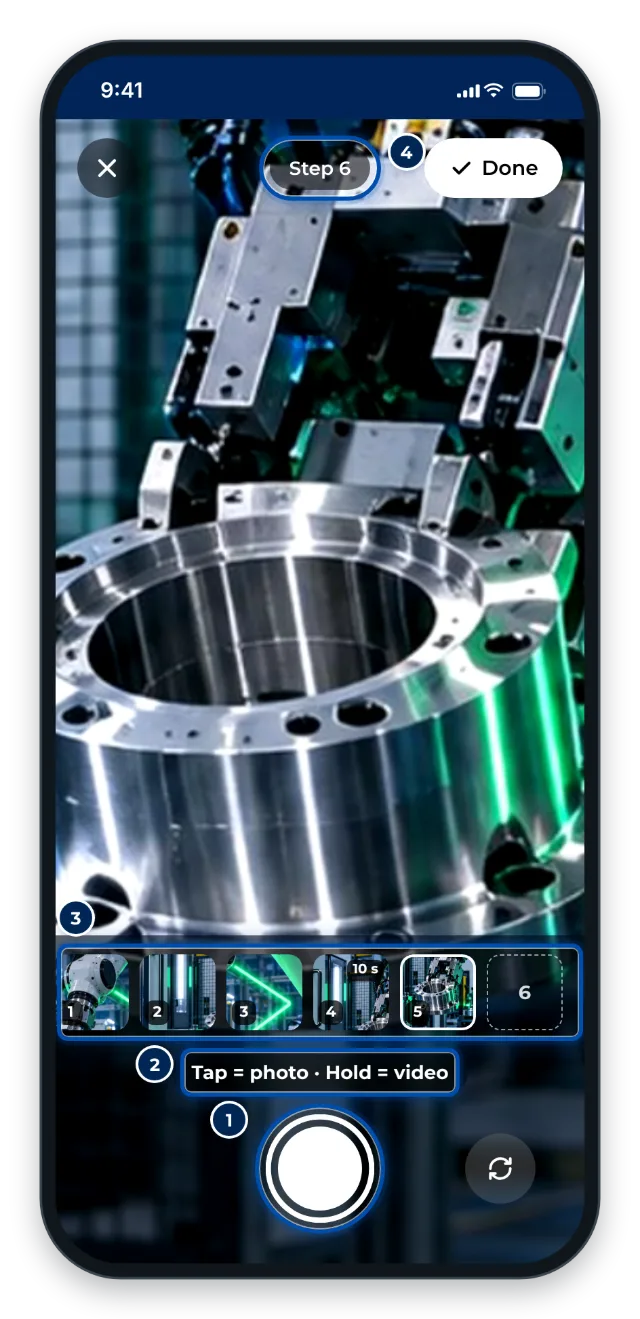
The camera in GIRI for recording right at the machine -
Capture special cases and tricks in the step text. Anything dangerous gets a warning (Edit steps).
-
Hand the instruction to the successors. They send their questions via Question or suggestion. You add the expert’s answers to the matching step (Handle and adopt feedback).
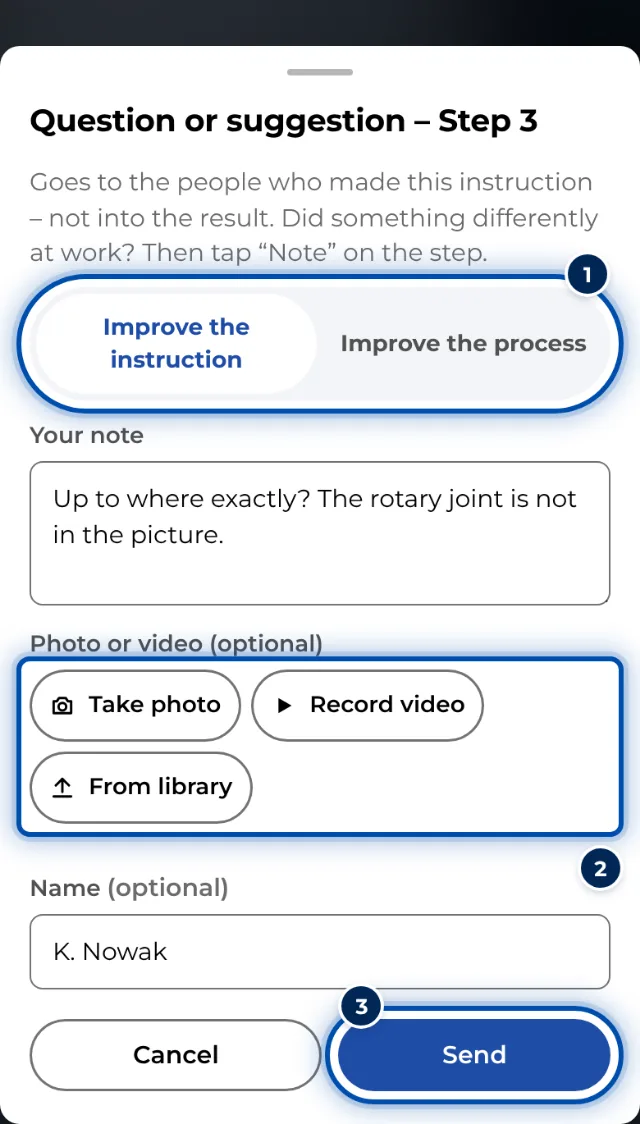
A question or suggestion on a phone, with a photo if needed -
Create folders per area or machine. The search also finds text inside the steps (Create folders, Find instructions).
-
If old SOPs exist as PDFs, GIRI turns them into a first draft that you then enrich with the experts’ knowledge (Create from PDF or photos).