FAQ
“Not published yet” when opening a link
Why a link or QR code shows “Not published yet” or “This link is outdated”, and what creators do about it.
The short answerA link or QR code only works once the instruction has been approved and is therefore published. Until then, workers see “Not published yet”. Submit the instruction for approval. Once it is approved, the same link works.
What workers see
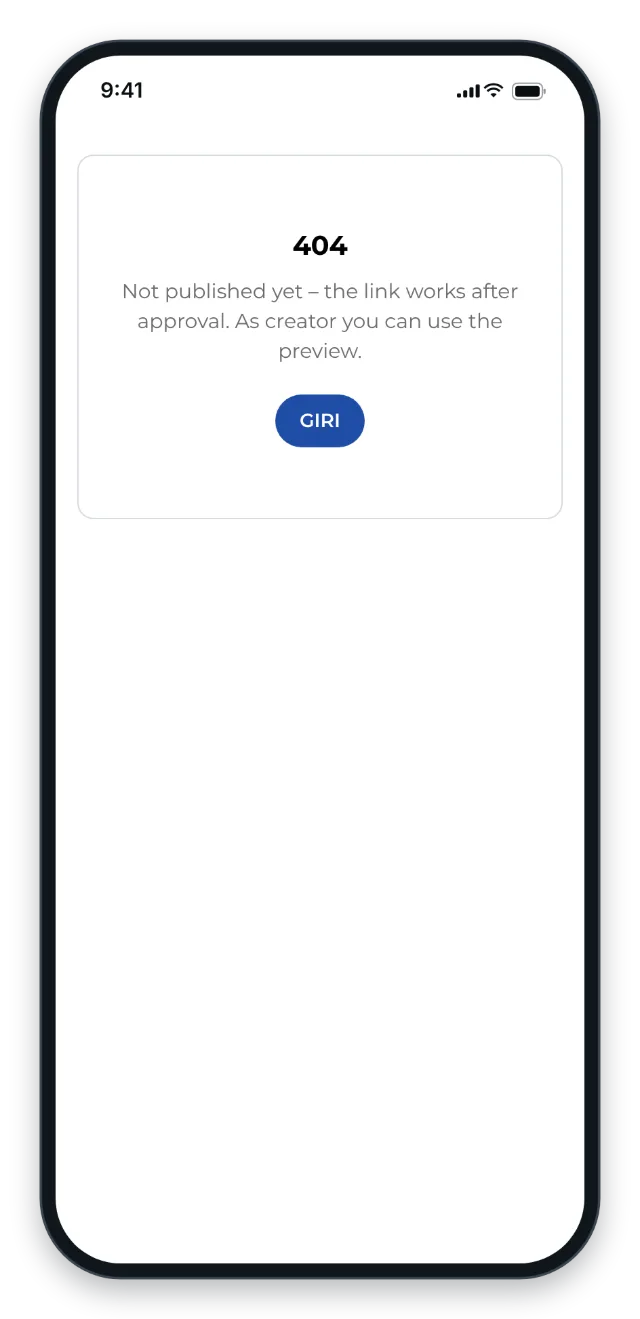
- The page shows 404 and the message Not published yet – the link works after approval. As creator you can use the preview. This happens when the instruction has never been published, is in the trash or has been archived. The sentence about the preview is meant for creators. Workers should contact the person responsible for the instruction.
- This link is outdated. Please use the current link or QR code of this instruction – the creator finds it under “Link / QR”. The link is missing the key that opens it, for example because it was cut off when copied or is very old.
What creators do
- Check the status in the list: Draft, In review or Published.
- If the instruction is a draft, choose Submit for approval. It is published as soon as it has both approvals.
- If it is In review, at least one approval is still missing. Approvers find it on the start page under For you.
- If it is in the trash, restore it. Archived instructions cannot be brought back in the app.
- If the link is outdated, open Link / QR in the instruction’s ⋯ menu. Send the current link or print the QR sheet again.
To check how workers will see the instruction before it is approved, use the Preview.
Good to know
- The link stays the same. If you copied it or printed it as a QR code before the approval, it works once the instruction is published.
- If you are signed in to GIRI, the link opens even an unpublished instruction on your device. To see what workers see, open it in a private browser window without signing in.
- While you revise a published instruction, workers keep seeing the last approved version.
- If a link password is set, workers first see Password required. That is not an error.