FAQ
The sign-in code does not arrive
What to do when the email with your sign-in code is missing: check spam and quarantine, request a new code the right way or sign in without email.
The short answerCheck your spam folder and quarantine: the email comes from GIRI, sender address giri-go@ar-giri.de. If it is missing, request a new code after 90 seconds. Only the code in the newest email works.
Finding the email
- Company mail filters and scanners sometimes hold back emails from new senders. Ask your IT team to allow giri-go@ar-giri.de. Invitations come from a different address: giri@ar-giri.de.
- Check the address GIRI shows after sending. Fix a typo with Different e-mail address.
Requesting a new code
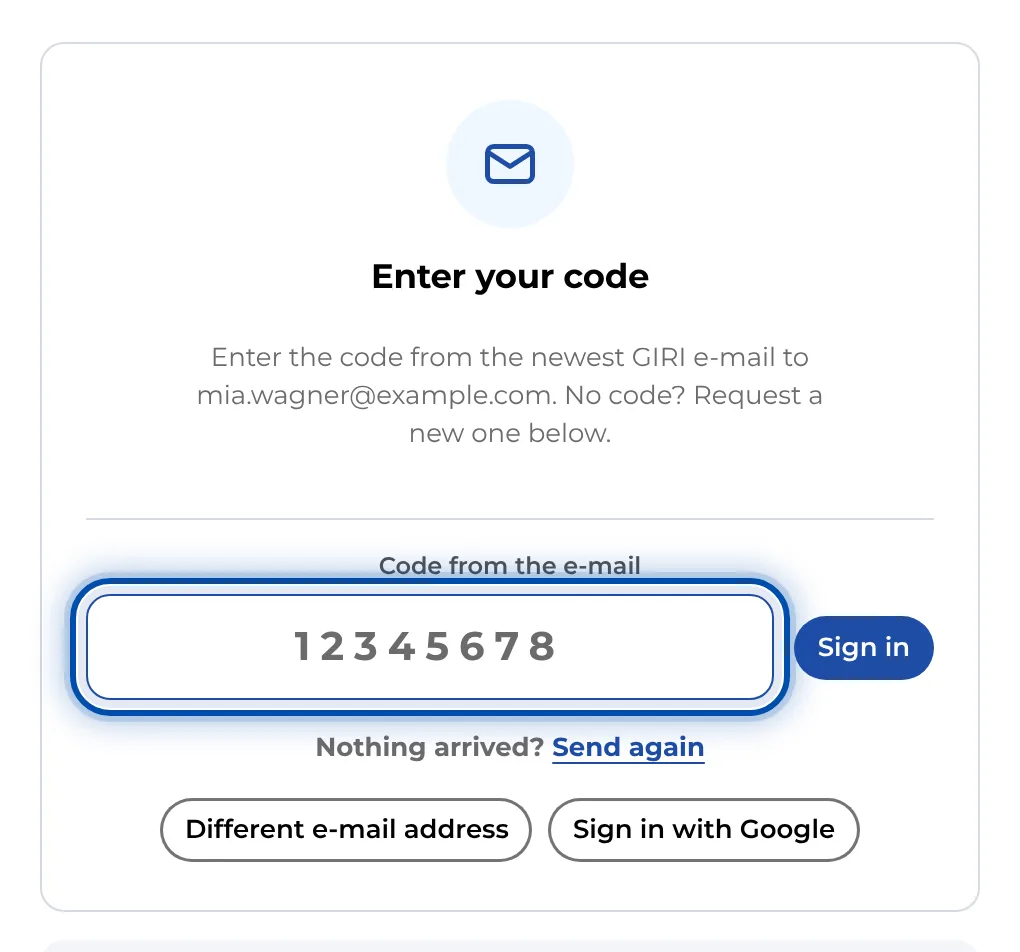
- Below the code field is Send again. The button only becomes active after a pause, normally 90 seconds.
- Don’t request several codes in a row. If an earlier email arrives late, its code no longer works.
- If too many sign-in emails are going out at once, GIRI reports an email limit. Try again a few minutes later.
Entering the code
- The code has 8 digits, is valid for 60 minutes and works only once.
- Reloaded the page or switched to your email app? The code field stays. If you open GIRI again in the same browser within 60 minutes, it is right there.
- In a different browser or on another device, enter your email address and tap I already have a code. This opens the code field without sending a new email. The link “Open GIRI and enter the code” in the email takes you there as well.
Signing in without email
- If you have a Google account with the same email address, use Sign in with Google.
- If you are already signed in on a PC, sign in on your phone with a QR code: Sign in on your phone with a QR code.
If nothing arrives at all, write to giri@ar-giri.de.