Overview
Moving from GIRI 11: what is different
What changes compared with GIRI 11: a web app instead of a store app, short clips, folders instead of projects, a link password per folder or team, and the import.
GIRI 12 is a new app. The idea stays the same: short steps with a photo or video, approval, a QR code at the workstation. But much of it works differently from GIRI 11. You bring your GIRI 11 instructions over with the import.
What changes
- App: in GIRI 11 you used an app from the store, plus a web editor for touching things up. GIRI 12 is a web app for PC, phone and tablet at go.ar-giri.de. You can record, edit and approve anywhere. You can install it as an app.
- Signing in: there are no passwords any more. You sign in with a code sent by email or with Google, and on a phone also with a QR code from the PC. See Sign in.
- Clips: a video taken with the camera lasts 12 seconds at most; 3–5 seconds is ideal. Workers see videos without sound, imported ones included.
- One picture per step: patterns with several pictures per step, such as before and after, no longer exist. Each step has one photo or one video.
- Folders instead of projects: what used to be a project in GIRI 11 is a Folder in GIRI 12. Folders can be limited to teams.
- Password protection: instead of one password for the whole organisation and locking single instructions, there is a Link password per folder or per team. See Protect instructions with a link password.
- Links and QR codes: instructions in GIRI 12 have new links at go.ar-giri.de. For the workstation there is the QR sheet per instruction and the QR poster per folder.
- No AR: GIRI 12 has no AR features. 3D objects from GIRI 11 are not imported.
What stays the same
- Roles: GIRI 12 takes over the roles from GIRI 11 with their rights: Team Admin, Creator, Editor, Approver, Technical Approver, Compliance Approver, Compliance Manager and Viewer. The Org Admin becomes the Workspace Admin. See Roles and permissions.
- Approval: an instruction needs Technical approval and GDPR approval before workers see it.
- Structure: instructions consist of chapters and steps with a title, description and symbols.
What else GIRI 12 offers
- Create instructions from a PDF or photos, with an AI suggestion. See Create from PDF or photos (AI).
- Record your screen, for software instructions on a PC.
- Checklists with a signature, and the job-done log.
- Versions: workers see the approved version while you prepare the next one.
- Training with a matrix and records, once GIRI activates it for your workspace.
Bringing over instructions from GIRI 11
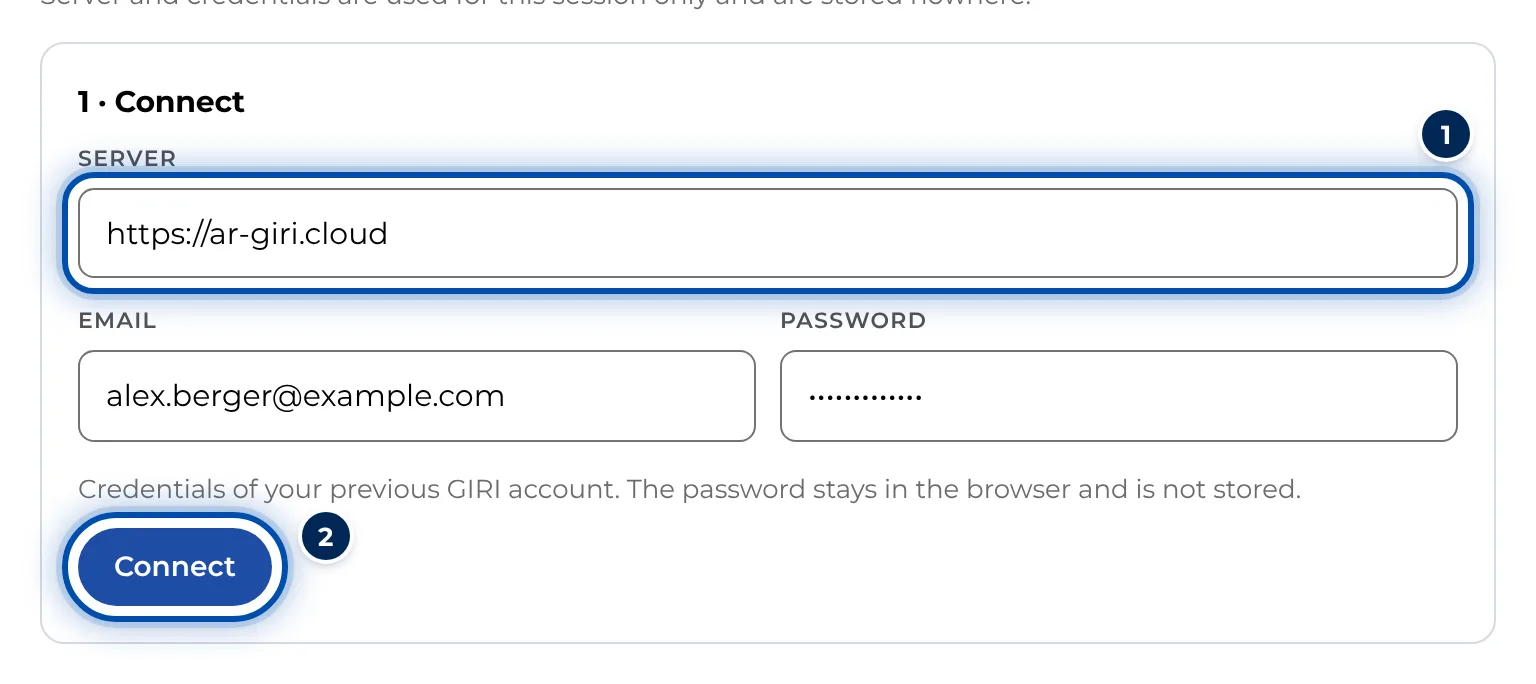
Workspace admins bring instructions over in the menu under Administration → Import from GIRI Classic; the menu item still carries the old name. There you sign in with your GIRI 11 account. The password stays in the browser and is not stored. Then you choose instructions and import them.
- Chapters, steps, pictures, videos and step icons come across.
- Projects become folders.
- The option Published stays published is ticked by default. Published instructions then stay published, with their version and earlier approvals. Everything else arrives as a draft.
- A step with a pattern is split into several steps, one per picture.
- If you like, you also take over users with your company’s email domain, and teams.
Details are in Import from GIRI 11.
Put up new QR codes
Imported instructions get new links and QR codes in GIRI 12. The old QR codes from GIRI 11 do not lead to GIRI 12. Replace them once the instruction is published: with the QR sheet per instruction or the QR poster for a whole folder. See Print the QR sheet and choose its content and QR poster for a folder.
Questions about the GIRI 11 AR app
This Help Center describes GIRI 12. Questions about the AR app of GIRI 11 are answered in the previous Help Center at help.ar-giri.com.