Guide
Profile, photo and language
Change your name and profile picture, choose the language of the interface and see which role you have. On a PC and on a phone.
What for?
Your name appears on your instructions and approvals, so colleagues know whom to ask. The interface comes in 13 languages, so you can use GIRI in your own language.
Before you start
- You are signed in.
- For a new language other than German and English: an internet connection, once.
Step by step
On a PC
-
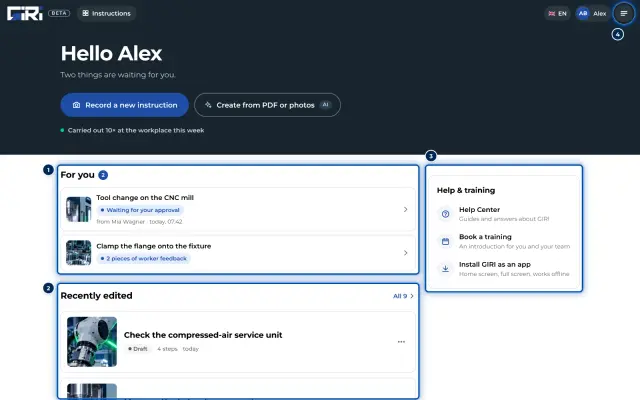
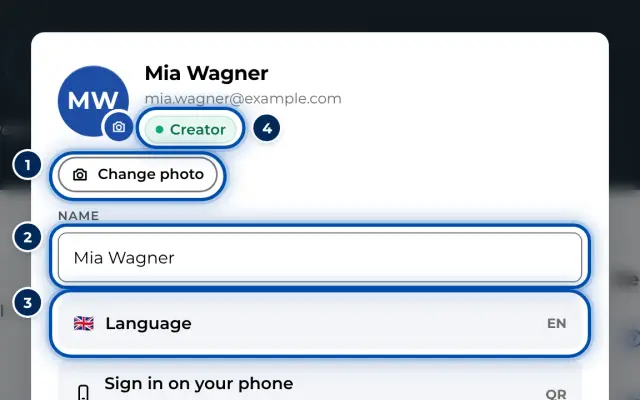
Click your picture and first name at the top right. The profile shows your photo, name, email address and role.
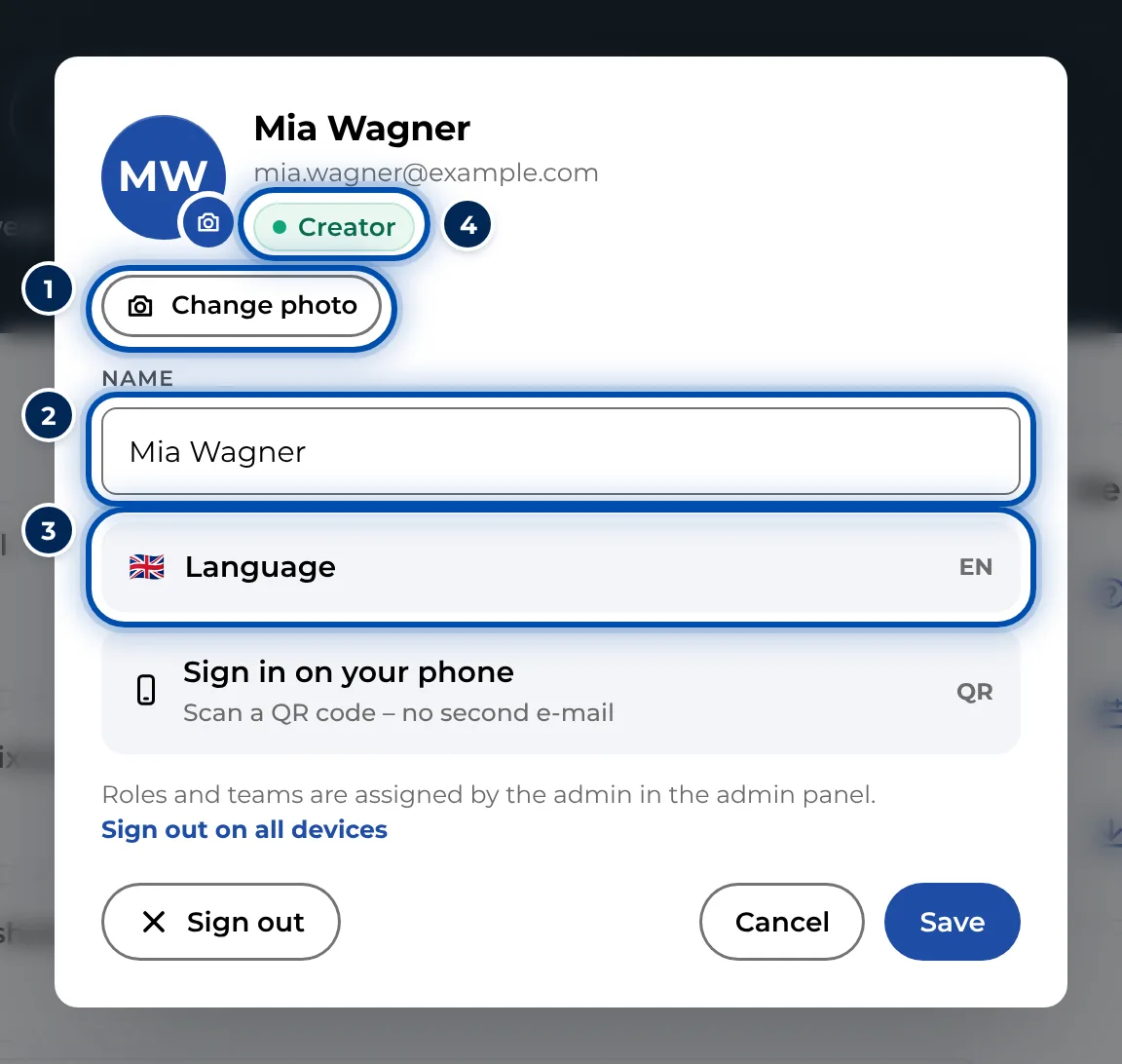
The profile with photo, name, language and sign-in on the phone -
For a photo, click Change photo and choose a picture. GIRI crops it to a square. Remove photo takes it off again.
-
Change your name under Name if needed.
-
Click Save.
-
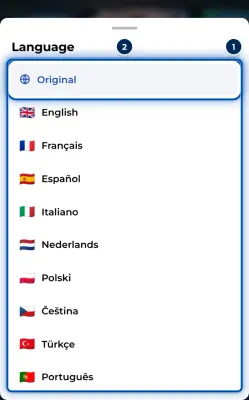
For the language, click Language in the profile or the flag in the bar at the top. Choose a language from the list. GIRI switches straight away.
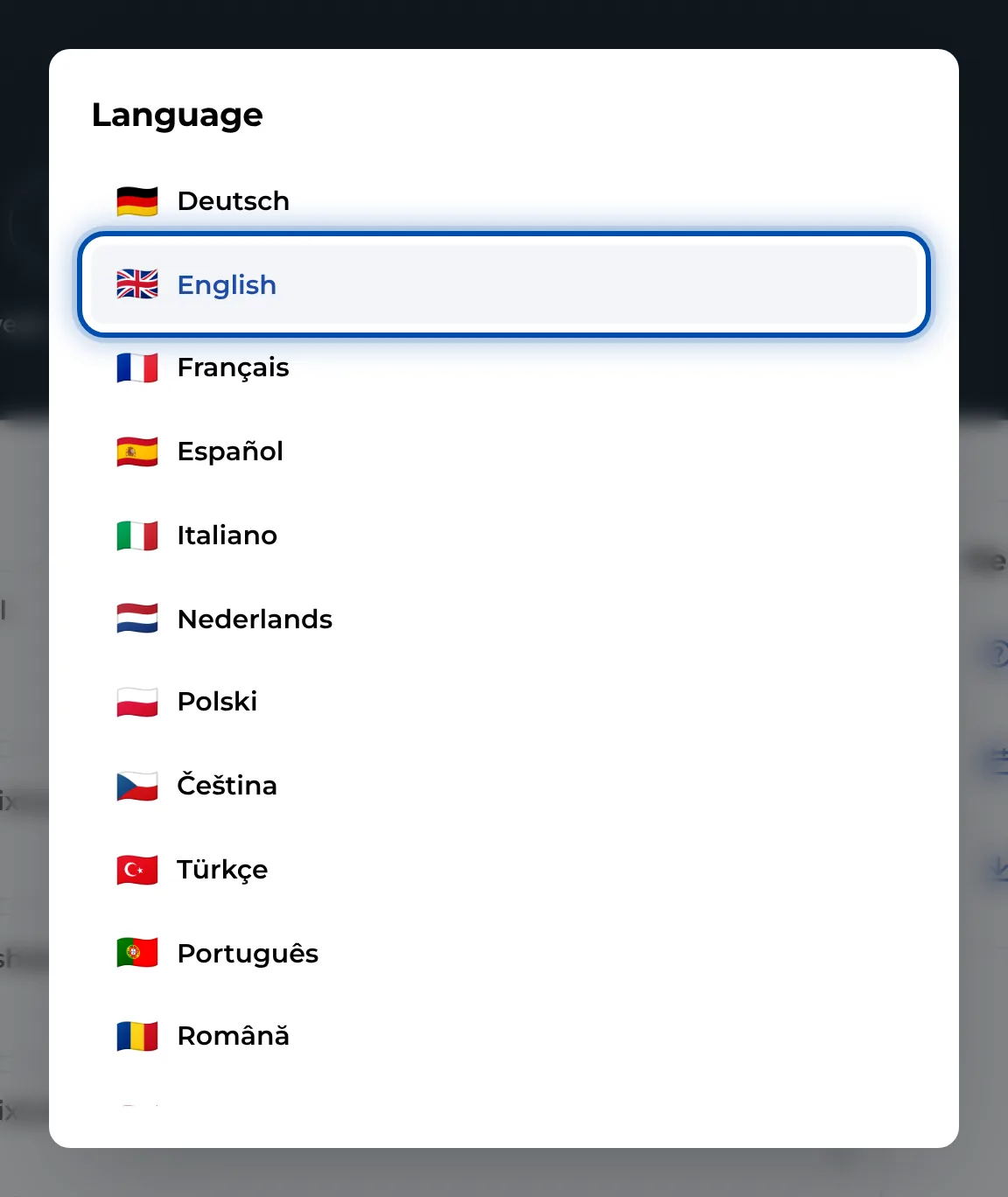
The list of languages for the interface
On a phone
-
Tap your profile picture at the top right. The menu opens.
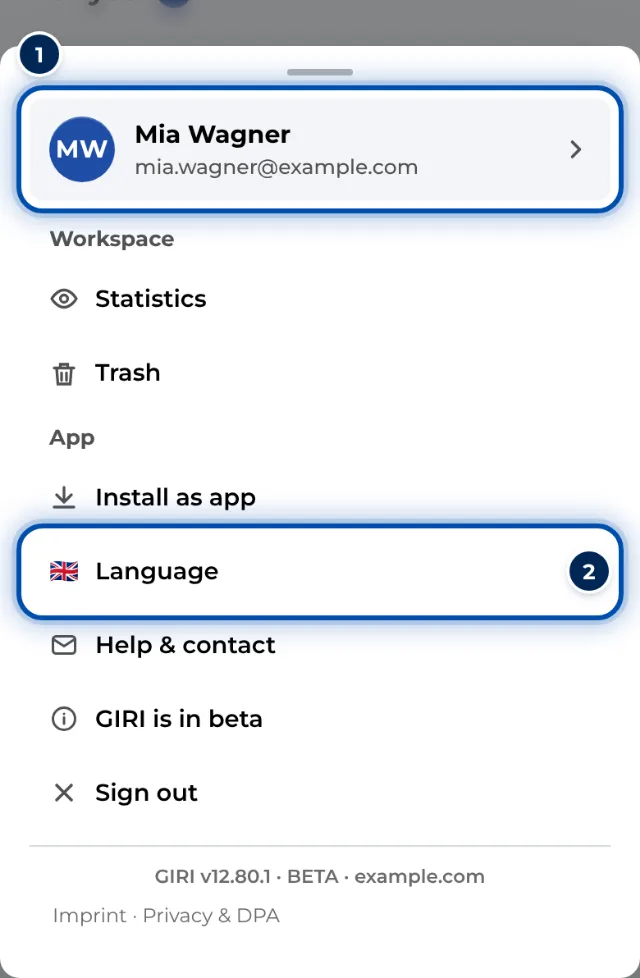
The menu on a phone with your name at the top and the language -
Tap the row with your name at the very top. The profile opens; carry on as on the PC.
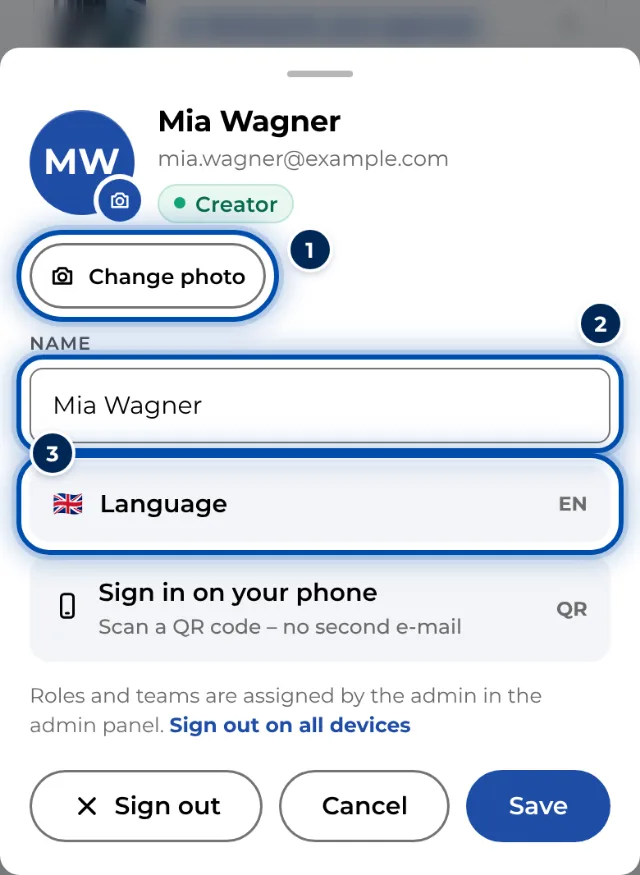
The profile on a phone with photo, name and language -
You also find the language directly in the menu under Language.
Tips
- GIRI maintains German and English itself. The other 11 languages are machine-translated when you choose them for the first time. You briefly see Translating …
- The language applies per device. You set it separately on your phone and your PC. Without a choice, GIRI uses the device language, or else English.
- The interface language does not change the language of your instructions. How instructions get into other languages is explained in Instructions in other languages.
- If you signed in with Google, GIRI shows your Google picture until you choose your own.
- Click Save before you change the language from the profile. Otherwise changes to your name or photo are lost.
Common problems
- You cannot change your role. Only the workspace admin assigns roles and teams, under Users & teams. See Roles and permissions.
- The email address cannot be changed. The profile does not allow it. Write to giri@ar-giri.de.
- The photo cannot be used. GIRI says This picture cannot be used. Use a different photo, for example a JPG or PNG.
- The language keeps switching back. It applies per device and browser. In a private window, or in the installed app on an iPhone, set it once more.