Guide
Knowledge check results
Who passed at which attempt, and which question many people find hard: results on the Training page, in the exports and as an Excel file with every answer.
What for?
You see who passed the knowledge check and at which attempt. The Excel evaluation also shows which questions many people find hard. That is where it pays to sharpen the instruction or the question.
Before you start
- Training is activated for your workspace.
- You are a Workspace Admin, or QM with the workspace role Approver, Compliance Approver or Compliance Manager.
- The training has a knowledge check, and someone has answered it.
Step by step
-
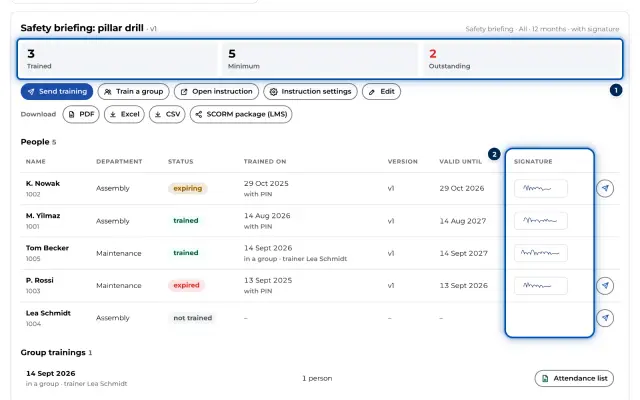
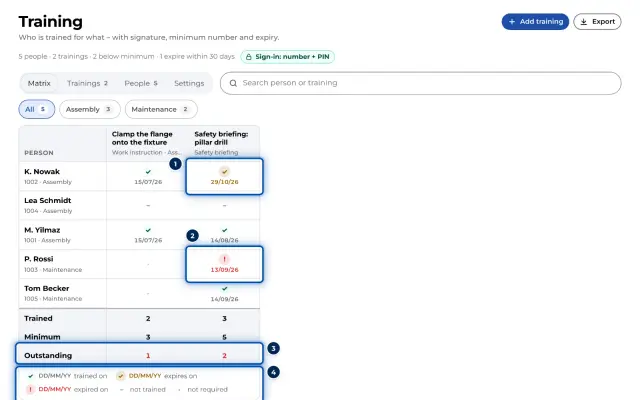
In the Menu, open the Training page and click the training in the matrix. Its header shows Knowledge check: 4 questions, pass mark 80 %.
-
In the list of people, the result is under Trained on, for example knowledge check 100 % (attempt 2). Without an attempt number, the person passed at the first attempt.
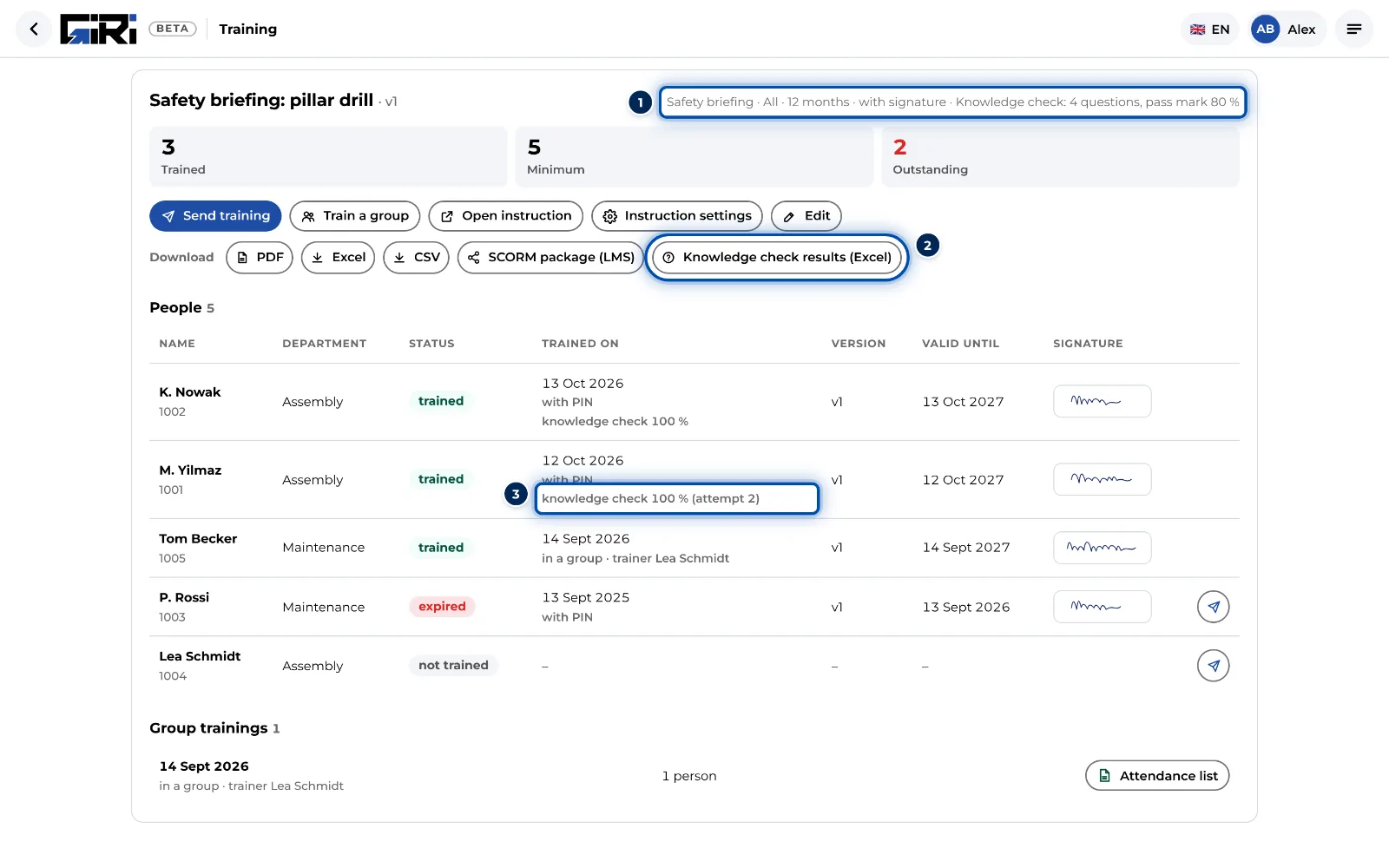
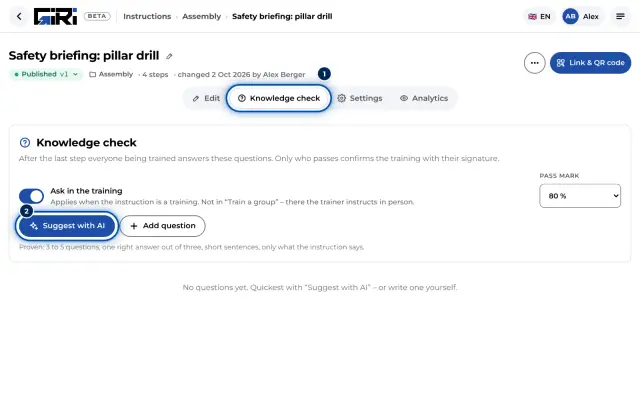
A training with a knowledge check: questions and pass mark in the header, each person’s result and the Excel evaluation -
Under Download, click Knowledge check results (Excel). GIRI saves an Excel file with two sheets:
- Questions: every question with the right answer, plus Answered right in per cent and the number of Answers.
- Answers: every attempt, including the failed ones, with name, personnel number, department, time, Attempt, Result (%), Passed, Language, Version and the answer to every question with ✓ or ✗.
-
The result is also in the other exports: in the training’s PDF, in its Excel and CSV list and in the person’s qualification record. See Assign and export records.
Tips
- If many people answer a question wrongly, the cause is often the instruction or the question. Check the step behind it and the wording.
- The record is only created after passing. It carries the result: per cent, pass mark, right out of total and the attempt.
- Records from before the knowledge check and from group training have no result.
Common problems
- The Knowledge check results (Excel) button is missing. Only admins and QM see it, and only for trainings with questions.
- There are no answers to this knowledge check yet. Nobody has answered this training’s knowledge check yet.
- Team leads do not see any results. That is intended. Results and answers are performance data. Team leads still see who is trained. See Information for the works council.